 PH
PH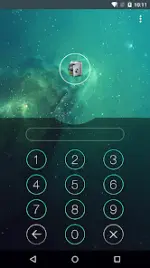

AppLock Technical Overview & Feature Set
AppLock is a privacy protection utility designed to secure applications, media, and system settings through various authentication methods, including PIN, pattern, and fingerprint biometrics (Android 6.0+).Core Specifications
| Category | Details |
|---|---|
| Compatibility | Android 12L and up |
| Permissions | Device Administrator (Prevents unauthorized uninstallation); Accessibility Service (Power saving and unlocking efficiency) |
| Security Methods | PIN, Pattern, Fingerprint, Random Keyboard, Invisible Pattern |
| Mod Info | VIP Features Unlocked; CPUs: arm64-v8a, armeabi-v7a; Debug Info Removed |
| Localization | Multi-language support (ar, bn, cs, da, de, en, es, fi, fr, gu, hi, hu, in, it, iw, ja, kn, ko, mr, ms, nb, nl, no, pl, pt, ro, ru, sk, sv, ta, te, th, tr, ur, vi, zh) |
Key Features
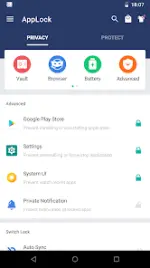
- Application & Game Encryption: Supports locking of social media (Snapchat, etc.), payment apps (Paytm), and system settings.
- Media Vault: Encrypts and hides photos, videos, audio, and files. Includes a folder lock and free cloud synchronization.
- Privacy Browser: Integrated incognito browser that does not record search or browsing history.
- Intruder Detection: "Intruder Selfie" captures photos of unauthorized users attempting to access locked content.
- Advanced Protection: Prevents the application from being killed by task managers or uninstalled without the correct password.
- UI Customization: Features well-designed themes, custom backgrounds, and the ability to disguise the AppLock icon as a calculator or compass.
- System Optimization: Includes a power-saving mode and low memory footprint.
Operational Functionality
| Feature | Description |
|---|---|
| Time Lock | Automates locking/unlocking based on scheduled times. |
| Customized Profiles | Allows users to create specific groups of locked applications. |
| Brief Exit | Permits re-entry into apps within a set timeframe without re-authentication. |
| Quick Toggle | Control AppLock status via a home screen widget or the notification bar. |
| Force Stopped Cover | Displays a fake crash screen to mask the lock interface. |
Accessing Hidden AppLock
If the application icon is hidden for security, it can be accessed via:- Gallery: Select a photo, tap "Share," and select "Open AppLock."
- Widget: Add the "Open AppLock" widget to the home screen.
- Dial Pad: Enter code
*#*#12345#*#*. - Browser: Navigate to
openapplock.comordomobile.com/applock.
Configuration
- Password Modification: Navigate to
AppLock > Protect > Unlock Settings. - Uninstallation Prevention: Enable
Advanced Protectionwithin theProtectmenu.