 PH
PH
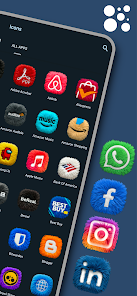
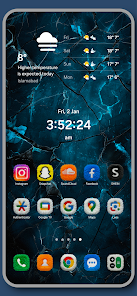
App Overview: Fluffy Icons - One UI Style
Fluffy Icons is a premium icon pack featuring high-definition 3D fur textures inspired by the One UI aesthetic. The pack utilizes realistic plush detailing to provide a tactile depth beyond standard flat designs.Technical Specifications
| Category | Details |
| Version | v11.6 [Patched] |
| Compatibility | Android 5.0 and up |
| Icon Count | 850+ Total Icons |
| Design Style | 3D Fur/Plush Texture (One UI Inspired) |
| Mod Status | ρáíd/Patched; Debug codes removed; Premium unlocked |
Key Features
- High-Quality 3D Rendering: Hand-crafted icons with Ultra HD fur detailing.
- Optimized Palette: Vibrant neon colors designed for high contrast in Dark Mode.
- Icon Request System: Support for premium icon requests with 24-48 hour turnaround.
- Frequent Updates: Weekly additions to the icon library.
- Integrated Dashboard: Native interface for application and icon management.
Launcher Compatibility
The pack supports over 30 launchers, including:- Samsung One UI Home
- Nova Launcher
- Lawnchair
- Niagara Launcher
- Smart Launcher
- Action Launcher
Installation Instructions
- Install the Fluffy Icons application.
- Open the dashboard and navigate to the Apply section.
- Select the active system launcher from the supported list.
- Confirm the icon set change within the launcher settings.
Version 11.6 Changelog
- Added 28 new fluffy icons based on premium requests.
- Total icon count surpassed 850.
- Optimized premium request priority and delivery speed.