 PH
PH
Application Overview
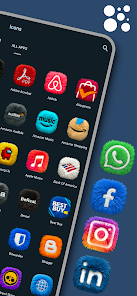
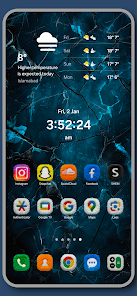
Fluffy Icons - One UI Style is a premium icon pack that introduces a 3D plush, high-quality fur texture to Android home screens, inspired by the squircle shape of Samsung's One UI.| Specification | Details |
|---|---|
| Current Version | v13.7 [Patched] |
| Android OS Requirement | 5.0 and up |
| Total Icons | 1100+ Hand-Crafted 3D Icons (Ultra HD Details / Neon Colors) |
| Included Widgets | 10+ KWGT Widgets |
| Modification State | ρáíd / Patched; All Debug Codes Removed; Premium Features Unlocked |
Core Features
- Real 3D Fur Texture: High-detail, realistic plush rendering designed for dark mode compatibility.
- Premium Icon Requests: Option to submit missing application icons with a 24-48 hour turnaround time.
- Regular Updates: Weekly additions of new icons.
- Dashboard: User interface for application, icon requests, and management.
Fluffy Widgets Collection
Note: Requires the KWGT Pro application to function.- 2x Weather Widgets: Dynamic 3D fur styling.
- 1x Daily Brief Widget: Contextual morning and evening greetings.
- 8x Capsule Widgets: Pill-shaped application shortcuts.
- 4x Fluffy Buddies: 3D bear-themed application shortcuts.
Compatibility & Support
Supported Launchers (30+)
- Samsung One UI Home
- Nova Launcher
- Lawnchair
- Niagara Launcher
- Smart Launcher
- Action Launcher
Installation Guide
Icon Application
- Install the application.
- Open the application dashboard and navigate to Apply.
- Select the active launcher from the list.
Widget Application
- Long-press on the home screen and select Widgets.
- Select KWGT and add a container to the screen.
- Tap the container and select a widget from the Fluffy Icons library.