 PH
PH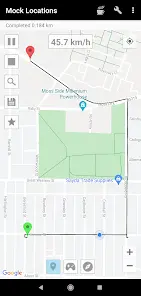
Mock Locations v1.36.1 (Build 255) Premium
Mock Locations is a utility designed to emulate GPS and network operator location data. It allows users to simulate static positions or complex movement routes across various applications, primarily for development, testing, or privacy purposes.Core Technical Specifications
| Category | Details |
| Version | v1.36.1 (Build 255) |
| Android OS | 5.0+ |
| Architectures | arm64-v8a, armeabi-v7a, x86, x86_64 |
| Screen DPI | 120dpi to 640dpi |
| Languages | Full Multi-language support (including Arabic, Turkish, German, Italian, Traditional Chinese) |
| Mod Status | Premium Activated; Debug info removed |
Primary Features
- Location Emulation: Simulates GPS coordinates and network provider location data.
- Route Creation: Supports road-based route mapping with the ability to set breakpoints and stay durations.
- Speed Control: Features variable speed settings and automatic braking/deceleration before turns.
- Closed Loops: Supports circular route movement by aligning start and end points.
- UI Customization: Option to hide the application icon from the status bar via settings.
- Battery Optimization: Reduced power consumption in recent builds.
Root and System Integration
For advanced functionality, the app can be integrated into the system partition to bypass "Allow mock locations" detection.| Android Version | Installation Path |
| Android 2.3.3 - 4.3 | /system/app |
| Android 4.4 - 4.4.4 | /system/priv-app |
Coordinate Jump Mitigation
If coordinates revert to actual location after system partition transfer, use these methods:Method 1: Device Settings
- Disable wireless network location in the device "Location" tab.
- Operate the app in areas without a clear GPS line-of-sight.
- Enable "Allow mock locations" in Developer Options.
- Install the Hide Mock Locations module via Xposed Framework.
- Activate the module and reboot.
- Select specific applications within Hide Mock Locations to mask the mock setting.
Download