 PH
PH
Fluffy Icons - One UI Style (v11.5)
Technical Specifications
| Category | Requirement / Detail |
| Android Version | 5.0 and up |
| Current Version | v11.5 [Patched] |
| Icon Count | 850+ Total Icons |
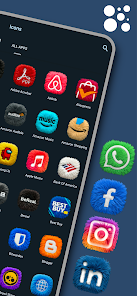
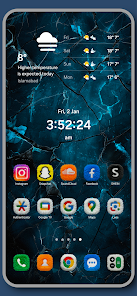
| Style | 3D Fur / Plush Texture (One UI Inspired) |
| Optimization | All Debug Codes Removed |
Key Features
- Hand-Crafted Design: Over 850 high-quality 3D icons featuring ultra-HD fur textures.
- Color Profile: Vibrant neon colors optimized for Dark Mode setups.
- Request System: Premium Priority system for new icon additions.
- Dashboard: Integrated interface for application and icon management.
- Update Frequency: Weekly additions including recent batches of premium user requests.
Launcher Compatibility
Supports over 30 major launchers, including:- Samsung One UI Home
- Nova Launcher
- Lawnchair
- Niagara Launcher
- Smart Launcher
- Action Launcher
Installation Guide
- Install the Fluffy Icons application.
- Launch the app and navigate to the Apply section.
- Select the preferred launcher from the supported list.
- Confirm the selection to update the home screen.