 PH
PH
Nova OLED Icon Pack v6.4 [Patched]
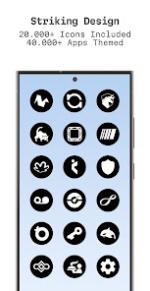
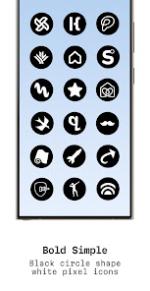
Nova OLED is a high-contrast icon pack optimized for OLED displays, utilizing a minimalist aesthetic of white glyphs set against bold black circular backgrounds.Technical Specifications
| Requirement | Detail |
| Android Version | 5.0 and up |
| Current Version | v6.4 |
| Status | Patched / Premium |
Core Features
- Icon Library: 25,000+ Nova OLED icons.
- App Coverage: 45,000+ apps themed across system, Google, OEM, social, media, and gaming categories.
- Aesthetics: Exclusive matching bright wallpapers and Material You dashboard.
- Functionality: Dynamic calendars for supported launchers and icon masking for unthemed applications.
- Requests: Integrated interface for Free and Premium icon requests.
- Updates: Regular releases for new icon additions and redesigns.
Compatibility and Usage
A third-party launcher or specific OEM compatibility is required for operation.| Category | Supported Launchers |
| Third-Party | Action, ADW, Before, Go EX, Hyperion, KISS, Kvaesitso, Lawnchair, Lucid, Microsoft Launcher, Niagara, Nova Launcher, Smart, Solo, Square, TinyBit |
| OEM / System | Color OS, HiOS, Nothing, OxygenOS, POCO, Realme UI, Samsung One UI (via Theme Park) |
| Workarounds | Pixel (via Shortcut Maker) |
Changelog (v6.4)
- Added 200+ new icons.
- Redesigned 500+ legacy icons.
- Enhanced premium request functionality.
Usage Instructions
- Install a compatible launcher from the list above.
- Launch the Nova OLED application.
- Select Apply or manually activate the pack within the launcher's theme settings.
- Consult the in-app FAQ section for troubleshooting and common inquiries.