 PH
PH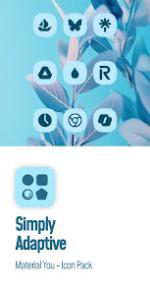
Simply Adaptive Icon Pack v6.4 [Patched]
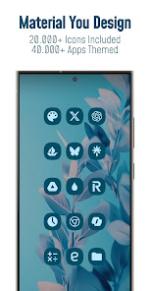
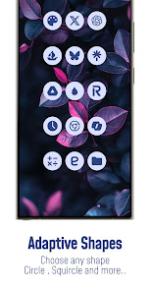
This icon pack implements the Material You design language for Android 12 and above. Icons dynamically adapt to the dominant colors of the device wallpaper and shift palettes between light and dark modes. The pack supports various icon shapes (rounded squares, teardrops, etc.) depending on the user's launcher settings.Technical Specifications
| Category | Details |
| Android Version | 12 and up |
| Current Version | v6.4 |
| Total Icons | 25,000+ |
| Apps Themed | 45,000+ |
| Icon Masking | Enabled (with Theme Accent for unthemed apps) |
| Update Status | Regular (Added 200+ new and 500+ redesigned icons in v6.4) |
Features
- Dynamic Wallpapers: Exclusive collection designed for Material You.
- Dynamic Calendars: Supported for compatible launchers.
- Dashboard: Material You-based interface for management and application.
- Icon Requests: In-app tool for Free and Premium requests.
- Balanced Design: Proportional icons using system-coordinated palettes.
App Coverage
- System and Google Apps
- Stock OEM Apps
- Social and Media Apps
- Gaming and Third-Party Apps
Compatibility and Usage
Requirements: A compatible third-party launcher or OEM skin is required. Results may vary based on system theme settings and launcher configurations.Supported Launchers: | Type | Launchers | | :--- | :--- | | Native Support | Hyperion, Kiss, Kvaesisto, Lawnchair, Niagara, Nothing, Nova Launcher, Smart, Square, Tinybit | | OEM / Tooling | Pixel (via Shortcut Maker), Poco, Samsung One UI (via Theme Park) |
Application Process:
- Install a supported launcher.
- Open the Simply Adaptive app and select "Apply" or navigate to the launcher's icon settings.
- Reference the in-app FAQ section for troubleshooting and common inquiries.