 PH
PH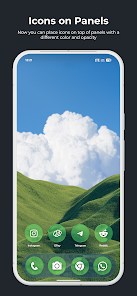
Application Overview
| Attribute | Details |
| Name | True Liquid Glass |
| Version | 11.9 [Patched] |
| Age Rating | 12 and up |
| Core Function | Interactive live wallpaper with Material 3, Liquid Glass, and Frosted Glass effects |
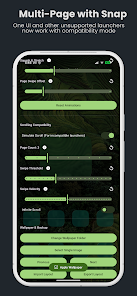
| Compatibility | OneUI (includes Multi-Page support; use compatibility mode for unsupported launchers) |
Key Features
- Advanced Live Editor: Real-time customization directly on the wallpaper. Features include drag-to-move, handle-based resizing, and on-screen toggles.
- Visual Effects: Real-time refraction, chromatic aberration, and dynamic rim lighting reacting to device motion.
- Icon & Panel System: Switch shapes between panels or "squircle" icons with independent settings for Home and Lock screens.
- Fluid Animations: Animated transitions between Lock screen and Home screen.
- Customization Controls: Adjustable blur intensity, refraction, roundness (local/global), tint (Auto/Light/Dark), and parallax sensitivity.
- Wallpaper Management: Supports static images or folder cycling. Features a preset system for Export/Import of layouts.
- Technical Integration: 3D depth parallax, dual depth maps for lock/home screens, and downloadable models for on-device computation.
Technical Configuration
System Requirements- Battery: Unrestricted usage permission must be enabled in device settings.
- Setup: Must be set to "Homescreen and Lockscreen" to enable all functionality.
- Switching: Use "Edit Lock" / "Edit Home" buttons; top title indicates the active target.
- Selection: Tap a shape or select via the scrollable menu.
- Modification: * Move: Long-press and drag.
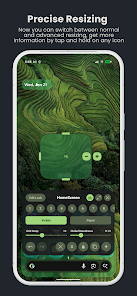
- Resize: Drag handle or use the advanced tool in the top right.
- Delete: Tap the 'X' handle.
- Locking: Use the lock icon to fix a shape position across screens.
- UI Elements: "Panel" / "Icon" toggle, visibility toggle, and "Grid Snap" slider for alignment.
Version 11.9 Changelog
New Features- Separated Home and Lock clock settings.
- Removed clock morph animation.
- Implemented 3D depth parallax and dual depth maps.
- Added gallery view for current wallpaper folder.
- Integrated downloadable model for on-device computation.
- Improved depth map speed, accuracy, and preview functionality.
- Added toggle for 3D parallax on lockscreen only.
- Added clock depth level slider.
- Resolved bitmap synchronization issues during lock/unlock.
- Fixed fullscreen trigger during tap-to-change font/layout actions.
- Enabled depth map recalculation on app launch.
- Fixed issue where custom colors were not saved.
- Various minor bug fixes and [Patched] premium feature implementation.