 PH
PH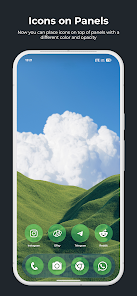
True Liquid Glass v14.6 [Patched/Premium]
True Liquid Glass is an interactive live wallpaper engine for Android 12+ that implements Material 3, Liquid Glass, and Frosted Glass aesthetics. The application features a real-time physics simulation with refraction, chromatic aberration, and dynamic rim lighting that reacts to device motion.Technical Specifications
| Category | Details |
|---|---|
| Version | v14.6 [Patched] |
| Android OS | 12 and up |
| Optimization | Requires "Unrestricted" battery usage for performance |
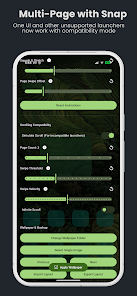
| Interface | OneUI Multi-Page support; Compatibility mode for unsupported launchers |
| New Features | Gravity-only lockscreen toggle, haptic feedback, shake-to-activate simulation |
| Improvements | Enhanced simulation colliders, optimized video playback, idle shape restoration |
Core Functionality
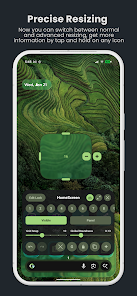
- Advanced Live Editor: Real-time customization directly on the wallpaper via an "Edit Mode" overlay. Supports long-press for movement and handle-based resizing.
- Fluid Transitions: Shapes from the lock screen animate and merge into the home screen layout upon unlocking.
- Visual Effects: Real-time refraction and frosted glass effects with adjustable Blur Intensity, Chromatic Aberration, and Parallax Motion sensitivity.
- Dual-Layout System: Independent configuration for Home and Lock screens, including visibility toggles and "Icon" vs. "Panel" mode switching.
- Asset Management: Supports static images or folder-based wallpaper cycling. Includes a preset system for exporting and importing layouts.
Editor Controls and Configuration
| Feature | Description |
|---|---|
| Shape Modes | Switch between "Panel" or "Icon" (squircle) styles per screen. |
| Roundness | Discrete sliders for Icon Roundness and Panel Roundness (Local/Global). |
| Grid Snap | Adjustable slider for precise alignment and resizing of elements. |
| Lock Icon | Fixes a specific shape's position across both Home and Lock screens. |
| Multi-Page | Swipe-to-change page support; UI auto-hides during navigation. |
| Tint Support | Manual or automatic (Auto/Light/Dark) control over color and opacity. |
Operational Notes
- Permissions: Requires "Homescreen and Lockscreen" selection to enable cross-screen animations.
- Layering: The app functions as a live wallpaper; widgets must be placed on top of glass panels manually.
- Simulation: Physics simulation responds to the accelerometer; gravity can be toggled or triggered by shaking the device.