 PH
PH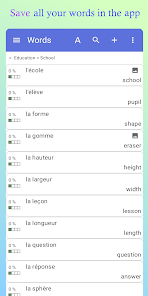
Application Overview
WordTheme is a tool designed for organizing vocabulary lists, creating lexicons, glossaries, or constructed languages (conlangs). It supports hierarchical theme structures and integrates study tools to assist with memorization.Core Functionality
| Category | Features |
| Management | Add/modify words/sentences, create multiple dictionaries, manage hierarchical themes/categories, sort entries, move words between categories, search functions. |
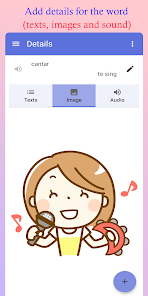
| Data Handling | Associate images and metadata (definitions, conjugations, examples) with entries. Import/export dictionaries, save to Excel files, synchronize via Google Drive. |
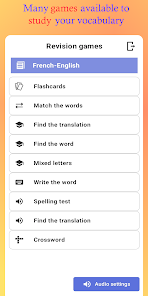
| Study Tools | Flashcards, multiple-choice translation (word-to-translation and translation-to-word), pronunciation playback, mixed letters, spelling tests, and generated crosswords. |
| Accessibility | Right-to-left language support, dark mode, pronunciation audio. |
Technical Details
- Minimum OS: Android 6.0+
- Version: 13.18.0
- Supported Architectures: Armeabi-v7a, Arm64-v8a, X86, X86_64
- Supported Screen DPI: Ldpi, Mdpi, Tvdpi, Hdpi, Xhdpi, Xxhdpi, Xxxhdpi
- Supported Languages: af, am, ar, as, az, be, bg, bn, bs, ca, cs, da, de, el, en-AU, en-CA, en-GB, en-IN, en-XC, es, es-419, es-US, et, eu, fa, fi, fr, fr-CA, gl, gu, hi, hr, hu, hy, in, is, it, iw, ja, ka, kk, km, kn, ko, ky, lo, lt, lv, mk, ml, mn, mr, ms, my, nb, ne, nl, or, pa, pl, pt, pt-BR, pt-PT, ro, ru, si, sk, sl, sq, sr, sr-Latn, sv, sw, ta, te, th, tl, tr, uk, ur, uz, vi, zh-CN, zh-HK, zh-TW, zu
- Signature Info: Untouched ρáíd APK with original hash signature; Certificate MD5 Digest: dfbfcbee6664ac1df64d624adede63a9
Recent Updates (v13.18.0)
- Added functionality to force application language via system settings.
- Fixed issues regarding bold/italic text modification.
- Added image zoom capability.
Installation Instructions
The application is provided as an .apks bundle.- SAI (Split APK Installer): Install via SAI by selecting "Install APKs" and choosing the .apks archive.
- Lucky Patcher: Use the "Rebuild & Install" function to select and install the .apks archive.
- Requirements: Ensure storage permissions and "Install unknown apps" permissions are granted in system settings.