 PH
PH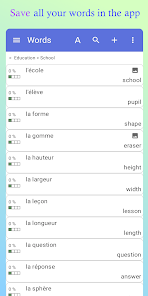
APP DESCRIPTION
Master your vocabulary and organize your studies with a fully customizable personal dictionary. Whether you are learning a new language, studying specialized subjects like science or law, or developing a constructed language, this app provides the tools to build, categorize, and memorize your lexicon.
Key Features
Create multiple dictionaries with hierarchical themes and sub-themes.
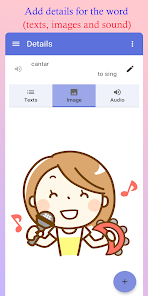
Add words with translations, images, definitions, and audio pronunciations.
Organize and sort entries with batch move and search functions.
Track memorization levels for every word in your list.
Sync and share dictionaries via Google Drive or export to Excel.
Dark mode support for comfortable late-night study sessions.
Interactive Learning
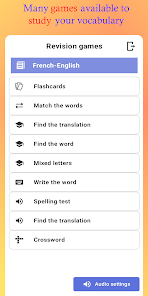
Master your lists through several built-in games, including:
Flashcards and Crosswords.
Multiple-choice translation and spelling tests.
Mixed letters and audio-based challenges.
Full support for right-to-left languages like Arabic and Hebrew.
Flexible Management
Import and export data easily to collaborate with friends or colleagues. From simple glossaries to complex linguistic databases, manage your learning your way.
• Adds option to change the display position of the validation buttons on Flashcards (to avoid some problems with the device naviagtion buttons) ρáíd Info: Supported Languages: af, am, ar, as, az, be, bg, bn, bs, ca, cs, da, de, el, en-AU, en-CA, en-GB, en-IN, en-XC, es, es-419, es-US, et, eu, fa, fi, fr, fr-CA, gl, gu, hi, hr, hu, hy, in, is, it, iw, ja, ka, kk, km, kn, ko, ky, lo, lt, lv, mk, ml, mn, mr, ms, my, nb, ne, nl, or, pa, pl, pt, pt-BR, pt-PT, ro, ru, si, sk, sl, sq, sr, sr-Latn, sv, sw, ta, te, th, tl, tr, uk, ur, uz, vi, zh-CN, zh-HK, zh-TW, zu;
• Supported Cpu Architecture: Armeabi-v7a, Arm64-v8a, X86, X86_64;
• Supported Screen Dpi: Ldpi, Mdpi, Tvdpi, Hdpi, Xhdpi, Xxhdpi, Xxxhdpi.
• Untouch ρáíd Apk With Original Hash Signature.
• Certificate MD5 Digest: dfbfcbee6664ac1df64d624adede63a9. .Apks Bundle Installation: SAI Instructions: [No Root]
• 1. Download And Install Latest SAI App (Split APK Installer) - 2. Download this .apks Archive App;
• 3. Install And Open SAI / Choose "Install APKs" Button / Find And Select Downloaded .apks Archive App;
• 4. Wait For Install And Done. Enjoy!. Lucky Patcher Instructions: [No Root]
• 1. Download And Install Latest Lucky Patcher App;
• 2. Install And Open Lucky Patcher And Choose 'Rebuild & Install';
• 3. Find And Select Downloaded This .apks Archive App;
• 4. Wait For Install And Done. Enjoy!. PS: Make Sure After Open SAI or Lucky Patcher You Allowed Storage Permission And Install Unknown Apps Permission! More Info: Code: Select all
- My dictionary - WordTheme Pro v13.14.0 [ρáíd] [Bundle]
- listen to the pronunciation of those words
- Adds option to change the display position of the validation buttons on Flashcards (to avoid some problems with the device naviagtion buttons)
- Premium