 PH
PH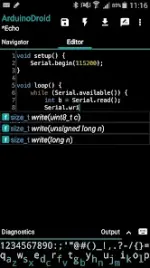
ArduinoDroid Overview
ArduinoDroid is an Android-based IDE designed for writing, compiling, and uploading sketches to Arduino, ESP8266, and ESP32 boards via USB or WiFi. It functions offline and does not require cloud service accounts.Technical Requirements & Specifications
| Feature | Specification |
| Minimum Android Version | 8.0+ |
| Storage Requirement | ~500 MB internal storage |
| Storage Limitation | Installation on SD card is not supported due to Android security policy |
| Architecture | arm64 |
| Package Size | 183.5 MB |
| SHA-256 | c45f83ab2af50b15132333de82389c160d1ab9349758d1b312df0074557d48d1 |
Functionality & Features
- Development: Edit sketches, utilize code complete, and access built-in libraries and example sketches.
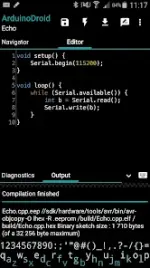
- Compilation: Built-in compiler; no root access required.
- Connectivity: * USB: Supports all ESP8266, ESP32, Arduino Uno/Uno_r3, Duemilanove, Nano, Mega 2560, Leonardo, Micro/Pro Micro, Pro, Pro Mini, Yun, Esplora, Robot Control, and Robot Motor boards (requires USB-host support).
- WiFi: Supports OTA updates for ESP8266/ESP32.
- Tools: Integrated serial monitor, file navigator, and a custom built-in software keyboard.
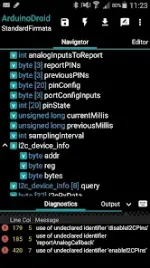
- IDE Features: Code syntax highlighting with theme support, real-time diagnostics (errors and warnings), and automated fixes.
- Integration: Support for Dropbox and Google Drive.
Version Information
- App Version: 7.3.2 b830 (Premium)
- Recent Updates: Resolved issues regarding library detection (platform vs. user vs. built-in).
Important Disclaimers
- This is a third-party application developed independently and is not an official product of the Arduino team.
- "Arduino" is a trademark of the Arduino team.
- Advanced features, including code complete, syntax themes, and real-time diagnostics, are included in the premium version.