 PH
PH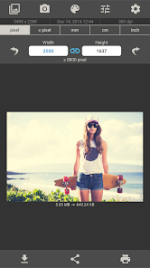
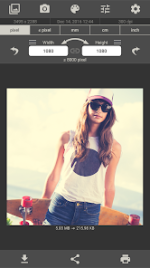
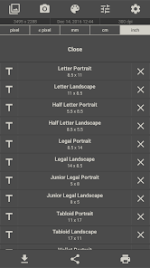
Image Size - Technical Overview
Specifications
| Category | Details |
| Required OS | Android 8.0+ |
| Version | Current (Includes bug fixes and performance improvements) |
| Input Methods | Gallery upload, Camera capture |
| Output Formats | JPEG, PNG |
| Metadata | EXIF data preservation (toggleable) |
Core Functionality
The application facilitates image resizing and basic post-processing via a four-step workflow:- Source Acquisition: Load existing files or capture new imagery.
- Dimension Specification: Define output parameters using four units of measurement.
- Composition: Adjust framing via multitouch cropping gestures and 90° rotation.
- Export: Save to local storage, print, or transmit via system share sheets.
Feature Set
- Measurement Units: Pixels, millimeters, centimeters, inches.
- Aspect Ratio Management: Linked width/height input fields via a toggleable chain icon.
- Memory Management: Previously used dimensions are cached for rapid selection.
- Integrated Photo Editor: Support for filters, text overlays, and stickers.
- Configuration Options:
- Adjustable JPG compression quality.
- Customizable output storage paths.
- Configurable EXIF data handling.
