 PH
PH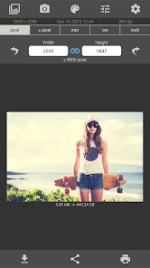
Application Overview: Image Size
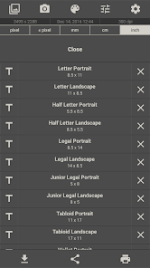
Image Size is a professional utility designed for Android 8.0+ that provides precise dimensional control for digital imagery. The application balances a streamlined user interface with high-fidelity output, making it an essential tool for workflows requiring specific measurement standards. Users can define output parameters across four primary units: pixels, millimeters, centimeters, and inches.Technical Specifications and Features
The suite includes several specialized tools for granular image manipulation and metadata management:- Dimensional Accuracy: Toggle-based aspect ratio locking to prevent distortion.
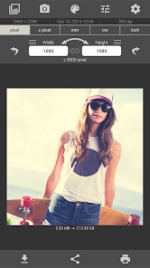
- Manual Refinement: Multitouch gesture support for intuitive cropping and 90-degree rotation tools.
- Creative Suite: Integrated editor featuring filters, text overlays, and stickers.
- Optimization: Adjustable JPG quality compression and configurable storage paths.
- Data Integrity: Options to preserve or deactivate original Exif metadata.
- Efficiency: Automated history logs for frequently utilized dimensions.
Functional Workflow
The operational sequence is structured into four distinct phases to ensure consistency:| Phase | Description |
| Acquisition | Import imagery via the internal file picker or direct camera capture. |
| Specification | Input desired dimensions using the preferred unit of measurement. |
| Refinement | Execute manual cropping or apply filters and text overlays. |
| Distribution | Save to local storage, send to a printer, or share via external applications. |
Change Log and Modification Details
What's New- General bug fixes to enhance application stability.
- Performance optimizations for faster image rendering and processing.
- Status: Premium Unlocked
- Access: Full access to all advanced features and removal of advertisements.
Download