 PH
PH
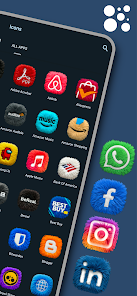
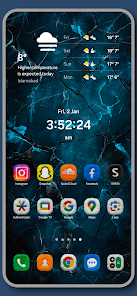
Fluffy Icons - One UI Style (v11.2)
Technical Specifications
| Category | Detail |
| Version | v11.2 [Patched/Premium] |
| Android Requirement | 5.0 and up |
| Design Style | High-Quality 3D Fur / Plush Texture |
| Inspiration | Samsung One UI |
| Status | ρáíd version with Debug Codes removed |
Core Features
- Asset Library: 200+ hand-crafted, Ultra HD 3D icons with realistic fur detailing.
- Color Palette: Vibrant neon tones optimized for Dark Mode setups.
- Premium Requests: Support for missing app requests with a 24-48 hour turnaround.
- Updates: Weekly additions of new icons.
- Included Add-ons: 10+ Premium Widgets (requires KWGT Pro).
- Interface: Integrated dashboard for icon application and management.
Compatibility
The pack supports 30+ launchers, including:- Samsung One UI Home
- Nova Launcher
- Lawnchair
- Niagara Launcher
- Smart Launcher
- Action Launcher
Installation Procedure
- Install the Fluffy Icons application.
- Access the dashboard and navigate to the Apply section.
- Select the active system launcher.
- Apply the icon set to the home screen.