 PH
PH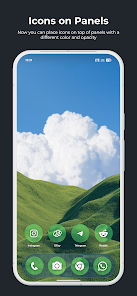
True Liquid Glass v9.7 [Patched]
True Liquid Glass is an interactive live wallpaper application featuring Material 3, Liquid Glass, and Frosted Glass aesthetics for Android home and lock screens. The engine utilizes real-time refraction, chromatic aberration, and dynamic rim lighting responding to device motion.Technical Specifications
| Detail | Specification |
| Version | v9.7 [Patched] |
| Compatibility | Android 12 and up; OneUI Multi-Page support |
| Optimization | Requires "Unrestricted" battery usage setting |
| Rendering | Real-time refraction, parallax motion (accelerometer-based) |
| Features | Premium Unlocked; Improved clock anti-aliasing |
Core Functionality
- Fluid Transitions: Animated merging of shapes when transitioning from lock screen to home screen.
- Live Editor: Real-time customization directly on the wallpaper via long-press and drag interactions.
- Visual Modes: Toggle between "Panel" and "Icon" (squircle) styles independently for each screen.
- Wallpaper Engine: Supports static images or folder-based cycling with manual swipe controls.
- Preset System: Export and Import functionality for layout backups and sharing.
Editor Controls & Tools
| Feature | Description |
| Edit Mode | Toggle via "Edit Layout on Homescreen"; includes "Edit Lock" / "Edit Home" views. |
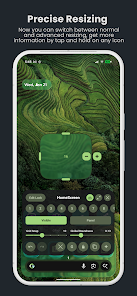
| Transform | Move (Long-press), Resize (Handle or Advanced Icon), Delete (X handle). |
| Visibility | Toggle "Visible" / "Hidden" per screen; "Lock" icon fixes shapes across both. |
| Roundness | Independent sliders for Icon Roundness and Panel Roundness (Local/Global). |
| Alignment | Grid Snap slider for precise positioning and scaling. |
| Layout Management | Add (+), Duplicate, Undo, and Redo controls. |
Configuration Parameters
- Optics: Blur Intensity, Refraction sensitivity, and Chromatic Aberration.
- Appearance: Tint Color & Opacity (Auto/Light/Dark modes).
- Motion: Parallax sensitivity and transition speeds.
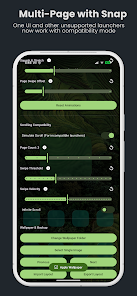
- Multi-Page: Compatibility mode for unsupported launchers; page swiping support.
Changelog (v9.7)
New Features:- Added On-Boarding UI and Quick Start steps on Setup page.
- Added edit-state warnings (prevents editing before application).
- Improved UI organization with better tabs and proper settings headings.
- Fixed non-uniform refractions and transition glitches in Clock module.
- Resolved visibility logic for video and folder-related settings.
- Corrected "Show Clock" persistence when the clock was disabled.
- General performance optimizations for lock-unlock transitions.