 PH
PH
White Moonlight Icon Pack v6.2 [Patched]
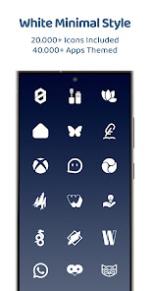
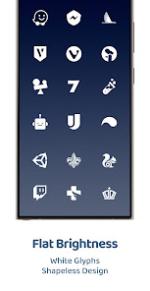
White Moonlight is a premium icon pack designed to transform your Android interface with a clean, minimal, and sophisticated aesthetic. Featuring shapeless, pure essential white icons, it provides a consistent and elegant look for users seeking a brighter, high-contrast setup.Key Features
- Extensive Library: Over 25,000+ high-quality icons included.
- Broad Coverage: Support for 45,000+ themed applications.
- Aesthetic Enhancements: Exclusive wallpapers optimized for white contrast.
- Advanced Tools: Material You dashboard, icon masking for unthemed apps, and dynamic calendar support.
- Updates: Regular additions of new icons and redesigned assets.
Technical Specifications
| Feature | Details |
| App Version | v6.2 [Patched] |
| Icons Included | 25,000+ |
| Themed Apps | 45,000+ |
| Android Version | 5.0 and up |
| Request System | Free and Premium options available |
| Dashboard | Material You User-Friendly Interface |
Categories Covered
- System & OEM: Stock Google apps and manufacturer-specific software.
- Social & Media: All major communication and entertainment platforms.
- Gaming: Extensive support for popular mobile game titles.
- Miscellaneous: Wide-ranging coverage for third-party utilities.
Compatibility & Requirements
A third-party launcher or specific OEM compatibility is required to apply these icons.Supported Launchers: Action, ADW, Before, Color OS, Go EX, HiOS, Hyperion, KISS, Kvaesitso, Lawnchair, Lucid, Microsoft Launcher, Niagara, Nothing, Nougat, Nova Launcher, OxygenOS, Pixel (via Shortcut Maker), POCO, Projectivy, Realme UI, Samsung One UI (via Theme Park), Smart, Solo, Square, TinyBit.
Note: Many other launchers not listed may also be compatible.
Installation Instructions
- Install a compatible launcher from the list above.
- Open the White Moonlight app.
- Navigate to the Apply section or select the pack manually within your launcher's theme settings.
Recent Updates
- New Content: Added 300+ fresh icons.
- Refinements: Redesigned 60+ legacy icons for better clarity.
- Optimization: Improved dashboard performance and icon masking.
Download