 PH
PH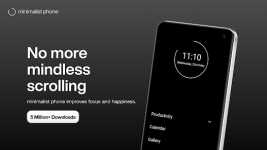

Minimalist Phone: Digital Detox & Productivity Launcher
The Minimalist Phone launcher for Android 6.0+ is a sophisticated digital detox utility engineered to mitigate mobile addiction and optimize cognitive focus. By transitioning the standard interface into a streamlined "dumb phone" environment, the application enforces a text-based UI and customizable monochromatic themes to eliminate visual triggers.Technical Overview
This utility provides a structured framework for screen time management, utilizing a lightweight 20.9 MB package. It employs Accessibility services strictly for in-app reminders and blocking mechanisms, ensuring a robust barrier against digital distractions.| Category | Feature Specifications |
| Interface | Text-based UI, customizable fonts, and monochromatic themes. |
| Focus Tools | Notification filtering, app hiding, and "Mindful Delay" app opening. |
| Blocking | Granular scheduling, time limits, and website blocking (Precision Mode). |
| Compatibility | Full work profile support and Android 14 optimization. |
| Visuals | Optional PC-activated Monochrome Mode for specific applications. |
Version 1.21.0 [Premium] | Changelog
- Enhanced Blocking: Introduced App Folder blocking and stricter scheduling protocols.
- Web Integration: Automated blocking of associated websites for restricted apps.
- System Stability: Resolved screen freeze issues specific to Android 14.
- UX Improvements: Added "Double-tap to lock" and customizable shortcuts for Chrome and Maps.
- Navigation: New "Swipe Up" gesture with selectable search provider.
- Reminders: Integrated in-app time trackers to monitor active usage.
Premium Features & Utility
- Monochrome Environment: Advanced grayscale rendering to reduce dopamine triggers.
- Notification Management: Silences non-essential alerts to maintain a clean workflow.
- Work Profile Integration: Seamless management of professional and personal environments.
- Habit Formation: Designed to foster mindful phone usage and long-term productivity.
- Customization: Granular control over camera, phone, and clock application defaults.
Download
