 PH
PH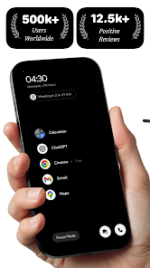
[App] Flow Launcher - Minimalist Productivity Launcher (v40.1.6) [Premium Mod]
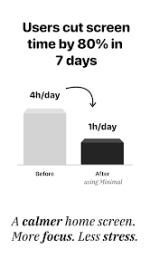
Flow Launcher is a minimalist Android home screen replacement designed to reduce screen time, eliminate distractions, and enhance daily focus. It incorporates built-in productivity utilities such as a Pomodoro timer and time-tracking widgets directly into the user interface.App Specifications
| Parameter | Details |
|---|---|
| App Name | Flow Launcher |
| Version | v40.1.6 |
| Android OS | 8.0 and up |
| Architecture | Armeabi-v7a, Arm64-v8a |
| Languages | Full Multi Languages |
Core Features
Minimalist Homescreen
- Displays only essential items: most-used apps with individual screen time tracking, upcoming calendar meetings, and a direct trigger for Focus Mode.
Built-in Productivity Widgets (Right Swipe)
- Calendar Widget: Syncs and displays Google Calendar events for the current day.
- Date & Time Widget: Basic chronological display.
- To-Do List: Local task management list with add and delete capabilities.
- Screen Time Tracker: Displays total daily screen time, performance comparisons against the previous day, and usage metrics for the top 3 most-used applications.
Integrated Pomodoro Timer & Focus Mode
- Built-in time-blocking utility eliminating the need for secondary applications.
- Allows users to set a countdown timer, select permitted applications, and block access to all other device functions.
- Features a dedicated flip-clock countdown interface, automated notification silencing, and automated redirection if blocked apps are opened.
Minimal App Drawer (Up Swipe)
- Displays an alphabetical application list with corresponding daily screen time data listed next to each application.
- Includes a seamless search interface for rapid app launching.
Privacy & Permissions
- Data Privacy: All application usage data and calendar events are processed and stored locally on the device. No data is collected, viewed, or transmitted.
- Accessibility Service: Optional, disabled-by-default service used solely to enable the "double-tap to turn off screen" gesture.
What's New
- Revamped Focus Mode: Implements app-whitelisting capability during active sessions alongside a visual flip clock.
- Strict Mode: Prevents users from prematurely terminating active focus sessions.
- Analytics & Tracking: Tracks focus history via daily streaks, a monthly heatmap, and cumulative focused hours.
- Data Sharing: Generates exportable image statistics reflecting user focus metrics.
Mod Modification Details
- Pro / Premium features unlocked.
- Performance optimizations applied to graphics and internal resources.
- All debugging code and default
.sourcetags from corresponding Java files removed. - Unnecessary files purged from the package structure.
- Release compiled by HeroMods.