 PH
PH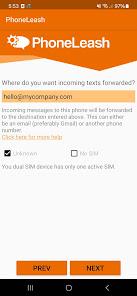
PhoneLeash: Seamless SMS, MMS, and Notification Forwarding
PhoneLeash provides a sophisticated solution for users needing to bridge the gap between multiple devices. Whether for professional team collaboration or personal convenience during travel, this application automates the forwarding of SMS, MMS, RCS, and app notifications to your email or a secondary handset.Core Functionality
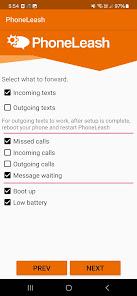
- Automated Forwarding: Instantly sync incoming texts (including group chats and pictures) and notifications to your chosen destination.
- Two-Way Communication: Reply to messages directly from your email or secondary phone without ever touching the primary device.
- Selective Filtering: Utilize keyword-based rules to ensure only relevant information is forwarded.
- Hardware Support: Full compatibility with dual-SIM devices and specialized support for RCS protocols.
- Zero Interruptions: An entirely ad-free experience designed for efficiency.
Application Specifications
| Attribute | Details |
| Version | v6.68 (Build 268) |
| Status | Premium / Ad-Free |
| File Size | 5.7 MB |
| Architecture | Universal |
| SHA-256 | 1414bd967dd6c2a53ecacc7f645cce185405a1abc7512fa1b3ce3aae7df0528a |
Use Cases
For Business Professionals- Centralized Support: Consolidate customer communications into a single email thread or shared inbox.
- Team Collaboration: Allow multiple team members to view and respond to inquiries from a single business number.
- Administrative Assistance: Enable assistants to manage scheduling and client texts while the primary user is indisposed.
- Device Consolidation: Leave your work phone behind and receive all alerts on your personal device.
- International Travel: Keep your local SIM active at home to receive OTPs and important texts while using a roaming SIM abroad.
- Connectivity Solutions: Place your phone where signal is strongest (e.g., by a window) and manage messages from a tablet or PC.
Getting Started
- Configuration: Upon installation, grant the necessary permissions required for message interception and forwarding.
- Destination: Enter the destination email address (Gmail is highly recommended for optimal performance).
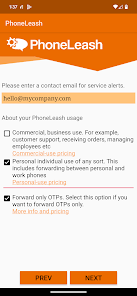
- Usage Type: Select between Personal or Commercial profiles to tailor the experience.
- Verification: Test the service using a secondary device. Forwarding typically occurs within seconds.
Recent Updates
- Streamlined setup process for new users.
- Enhanced stability for RCS and group messaging.
- Optimized logic for dual-SIM hardware.
- General performance improvements and critical bug fixes.
Note: This application is intended for productivity and convenience. It includes built-in safeguards to prevent misuse and is not designed for unauthorized monitoring.
Download