 PH
PH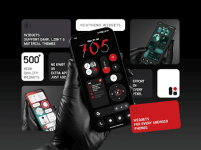
NewThing Widgets Pro v2.5 [Patched]
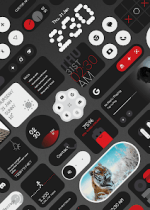
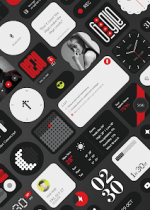
NewThing Widgets Pro offers a comprehensive customization suite for Android 12 and above, featuring over 150 standalone widgets inspired by the Nothing OS aesthetic. Operating independently of KWGT or secondary configuration tools, this package provides a streamlined, native experience for users seeking a minimalist interface.The library encompasses a broad functional range, including system toggles, weather modules, and specialized components for peripheral tracking. Leveraging native Android capabilities, the app fully supports Material You dynamic color integration, ensuring your widgets harmonize with your wallpaper and system theme.
Application Overview
| Feature | Description |
| Widget Count | 150+ Standalone Modules |
| Compatibility | Android 12.0+ |
| Theme Support | Dark/Light Mode & Material You |
| Requirements | No KWGT Required |
| Optimization | Minimal Battery Drain & Fluid UI |
Technical Specifications
- Integrated Modules: System toggles, weather, ****meters, and earbud monitors.
- Real-Time Data: Persistent foreground service ensures accuracy for compass and battery monitors.
- Design Language: Minimalist aesthetic with complementary high-definition wallpapers.
- Performance: Optimized code for smooth transitions and low memory footprint.
Changelog: Version 2.5
- Expanded Library: Added 8+ new categories with additional widgets across all existing sets.
- Stability: Implemented major bug fixes to enhance system reliability.
- UI/UX: Improved navigation interface and overall touch responsiveness.
- Performance: Refined background processes for better efficiency.
Modification Details
- Status: ρáíd / Patched / Premium Enabled.
- Architecture: Universal / arm64-v8a.
- Cleanup: Removed all unnecessary files, debug information, and logs.
- Security: Original package signature changed; no Root, Lucky Patcher, or Modded Play Store required.
Installation Notes
To maintain the "Nothing OS" aesthetic, it is recommended to enable Dynamic Color settings within the app's configuration menu. This allows the widgets to adapt instantly to your system's accent colors. For sensors like the ****meter and compass to function correctly, ensure that background activity permissions are granted upon initial setup.Download