 PH
PH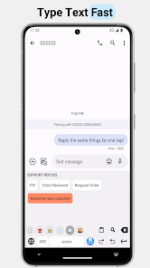
[Application] LazyBoard - Phrase Keyboard v2.7.2 [Premium]
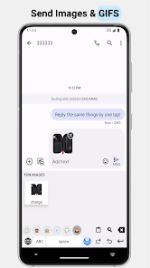
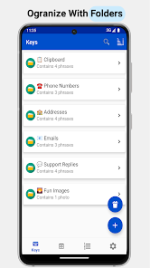
LazyBoard is a sophisticated, efficiency-driven keyboard extension for Android designed to eliminate the friction of repetitive typing. By leveraging custom snippets and rapid-input shortcuts, it transforms standard mobile input into a comprehensive productivity hub.The application integrates a robust clipboard manager for automated archiving and a dedicated media folder for seamless image insertion. Users can maintain a high level of organization through nested subfolders and a built-in recovery system.
Technical Overview
LazyBoard distinguishes itself through the support of dynamic variables, allowing for real-time text personalization.- Dynamic Variables: Supports placeholders such as
{{customer name}},%CURSOR%, and%CLIPBOARD%. - Media Integration: Dedicated storage for rapid image deployment.
- Interface: Features a built-in alphanumeric layout with Dark Mode and home screen widget support.
- Portability: Comprehensive tools for exporting and sharing data configurations.
Application Specifications
| Feature | Details |
| Version | v2.7.2 Build 166 |
| Required OS | Android 5.0 and up |
| File Size | 5.0 MB |
| Category | Productivity / Tools |
| Security Hash | 3bd7c5171f6e72d111f5a3e417845a156351a22610ead5117994654663db2fd5 |
Version 2.7.2 Changelog
The latest update focuses on interface refinement and expanded customization options for the alphanumeric layout:- Display Fixes: Resolved text clipping issues occurring when "Large Text" mode is enabled.
- Keyboard Localization: Enabled multi-language selection for the alphanumeric keyboard.
- Layout Controls: Added new settings to toggle the visibility of the "." and "," buttons.
- Input Optimization: Added the ability to hide the dedicated numbers row.
- UI Enhancements: Introduced a dedicated "Hide Button" setting and a reorganized Settings section.
Premium Modification Features
This version unlocks the full potential of the application, removing the constraints found in the standard release.- Unlimited Phrase Storage: Create and archive an infinite number of text snippets.
- Unlimited Media: Store and deploy photos without capacity restrictions.
- Advanced Customization: Full access to color themes and interface personalization.
- Professional Portability: Enabled export and data management tools.
Download