 PH
PH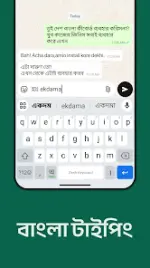
Desh Bangla Keyboard v17.13.2 [Premium]
Overview
Desh Bangla Keyboard is an input method editor (IME) designed for dual-language typing in Bangla and English. The application supports transliteration, voice typing, handwriting recognition, and gesture-based navigation.Technical Specifications & Version Info
| Parameter | Details |
|---|---|
| Version | v17.13.2 |
| License | Premium (Mod Features Enabled) |
| Compatibility | Android 12L and up |
| Privacy Compliance | Standard Android IME warning applies; no private data or financial information is collected. Anonymous telemetry may be used for performance optimization. |
Core Input Methods
- Transliteration (English to Bangla): Phonetic typing where English input generates corresponding Bangla script suggestions.
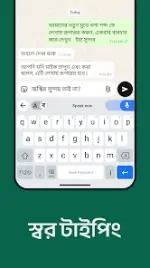
- Voice Typing: Speech-to-text functionality supporting both native Bangla script and Bangla voice typing in English letters.
- Handwriting Recognition: On-screen drawing input for individual Bangla characters.
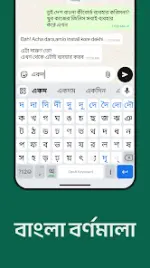
- Traditional Layout (Alphabets): Direct character-by-character selection for standard Bangla typing.
- English Mode: Dedicated toggle to disable Bangla input for native English text entry.
Feature Breakdown
Interface & Customization
- Language Toggle Key: Positioned to the left of the spacebar for quick layout switching. Long-press activates the mode selection menu (English/Alphabets/Handwriting).
- Dedicated Rows: Independent rows for numerical input and quick-access emojis.
- Theming Engine: Supports solid colors, custom background images, and pre-built visual themes.
- Haptics & Audio: Configurable keypress vibration and sound settings.
Functional Utilities
- Clipboard Management: Integrated clipboard for tracking copied text snippets.
- Personal Dictionary: User-defined vocabulary and predictive text savings.
- App Search & Suggestions: Integrated utility to launch external applications directly from the input interface.
- Status Saver: Interface gesture (swipe up) to save system statuses.
Advanced Gesture Support (Pro Features)
- Cursor Control: Precision cursor positioning via horizontal swiping on the spacebar.
- Quick Deletion: Leftward swipe from the backspace key deletes text segments rapidly.
- Gesture Typing: Continuous wave/glide input for accelerated English text entry.
- Keyboard Switching: Long-press on the spacebar triggers the system input method picker.
- Symbol Shortcuts: Secondary symbols accessible via long-press on standard alphanumeric keys.
Media & E×ρréššion Components
- Emoji Integration: Real-time contextual emoji suggestions displayed during active typing.
- Sticker Framework: Built-in repository supporting custom sticker generation from local photographs, stylized text stickers, and third-party messaging application integration.
- Typography: Support for multiple stylized fonts within compatible interfaces.