 PH
PHDiego Mendoza
Elite
Why Another PDF Tool?
If you search for PDF tools today, you get a wall of similar-looking sites: overloaded menus, aggressive upsells, and unclear privacy practices. Many of them make simple tasks—like merging two files or compressing one resume—feel heavier than they should.
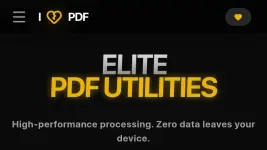
I Hate PDF was created as a reaction to that bloat. The idea is straightforward: give users a fast, clean, privacy-first toolkit that handles the 80% of PDF tasks people actually do, without friction or fluff.
Core Features That Actually Matter
At its heart, I Hate PDF is a browser-based toolbox that opens instantly and gets out of your way.
Key capabilities include:
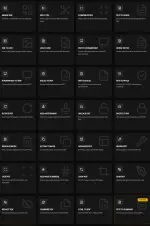
- Merge multiple PDFs into a single document in a couple of clicks.
- Split large PDFs into smaller chunks or extract specific page ranges.
- Compress PDFs with options like “Extreme” or “Recommended” compression, useful for email and LMS uploads.
- Convert PDFs to editable formats such as Word and Excel, and export to images when needed.
- Run OCR to make scanned documents searchable and selectable.
Instead of hiding these behind paywalls or confusing menus, I Hate PDF puts them front and center as free, everyday utilities.
Privacy-First by Design
One of the biggest concerns with document tools is: “Where does my file go?” I Hate PDF puts a lot of emphasis on privacy and security, both in its marketing and technical choices.
Across the I Hate PDF ecosystem, several implementations highlight this philosophy:
- Many tools process files directly in your browser, meaning documents don’t need to leave your device at all.
- When server-side processing is required, files are encrypted in transit and automatically deleted after a short window.
- There’s no mandatory signup wall just to run a conversion or compression.
For users handling contracts, IDs, or confidential reports, this local-first approach is a major differentiator from older, cloud-heavy PDF services.
Built Out of Frustration
The story behind I Hate PDF is part of its appeal. The creator publicly shared that the project started after frustration with existing converters and even a rejection from a more established PDF brand, which turned into motivation to ship a cleaner alternative.
That origin shows up in the product philosophy:
- “Simplicity over complexity” as a guiding principle.
- A focus on speed—no multi-step onboarding, no forced accounts, minimal UI.
- Continuous addition of genuinely helpful tools, like “PDF to Summary” to quickly understand long documents without reading every page.
For students, developers, and office workers who just want a tool that works and then disappears, that ethos makes a big difference.
Where It Fits in Your Workflow
I Hate PDF is not trying to be a bloated document management platform; it’s aiming to be the sharp, minimal toolkit you reach for several times a week.
You might:
- Merge and compress slides before a presentation.
- Split a research paper into chapters and auto-summarize each section to review on the commute.
- Clean up and OCR a scanned contract so it’s searchable and easier to annotate.
If you’re tired of email gates, surprise paywalls, and cluttered interfaces, the broader I Hate PDF set of tools aims to be the “I’m done in 30 seconds” answer to your PDF problems.
LINK
You do not have permission to view the full content of this post.
Log in or register now.
Your feedback is highly appreciated

Support my other posts

- Google just KILLED Photoshop!
- 50 Brilliant Ways to Supercharge Creativity with Nano Banana
- Nano Banana Prompt Gallery
- AI Fashion Studio: AI Virtual Try-On Powered By Nano Banana
- Free Image Upscaler up to 16K Quality!
- Travel the World with Nano Banana
- Nano Banana Polaroid Trend
- AI Profile Picture Generator
- AI Snapshot Generator
- ᑕᕼᗩTGᑭT Prompt Packs
- Perplexity at Work
- Free AI Image Editor
- DumPDF: PDF Editor
- LuxPDF: Open Source PDF Tools
- Affinity Studio: Free, Powerful Design Tool
- Gemini Edu ID Card Generator
- CanVâ Education Invite Link 2
- Create UNCENS0RED/NSFW AI Characters
- Google Antigravity: Agentic Development Platform
- ᑕᕼᗩTGᑭT For Teachers
- Student ID Card Prompt
- Introducing Nano Banana Pro
- Nano Banana Pro Image And Prompt Gallery
- Create 4K Nano Banana Pro Images
- Introducing GPT-5.2
- Create Pro-Grade Infographics

