 PH
PHrainych_ran
Contributor

PART 1: Manifest Generators — Direct From Steam’s Servers
These generate the files that tell Steam “yes, this person owns this game.” Downloads come straight from Valve’s CDN — clean files, no torrents, no “free virus included” energy.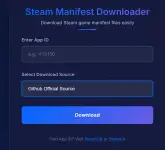
How It Works (Step-by-Step)
Step 1 → Pick Your GeneratorFrom the tool’s main screen, select Github as your source.
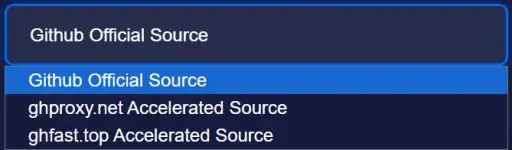
Step 2 → Find Your Game on Steam
Go to the Steam store and find the game you want.

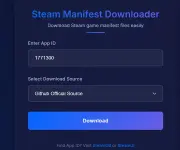
Step 3 → Grab the App ID
Look at the URL. See those numbers? That’s the App ID. Copy just the numbers — nothing else.

Step 4 → Generate & Download
Paste the App ID into the generator. Hit download.
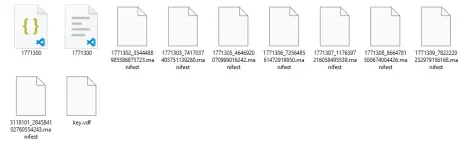
Step 5 → Use Steam's Own Tool
Drag everything from the downloaded folder onto this icon:
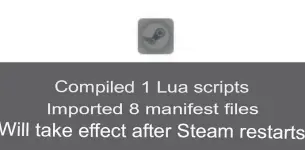
This opens SteamDepotDownloaderGUI — an official-ish tool you can grab from the developer’s site.
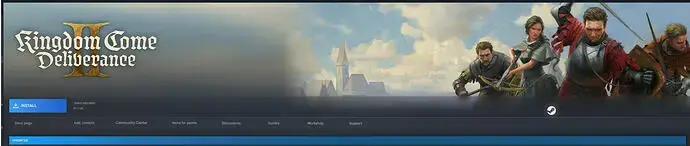
Step 6 → Install & Play
Done. The game appears in your Steam library, ready to install.
Paalala : One game at a time. Wait a few days between each. Act like a normal human.
Adding 50 games in one afternoon is how you get your account nuked. Steam notices patterns. Space it out, and you’re just another user with a growing library.
Generator Sites (Bookmark These)
| You do not have permission to view the full content of this post. Log in or register now. | OG generator, still works |
| You do not have permission to view the full content of this post. Log in or register now. | Premium features, batch downloads, API |
| You do not have permission to view the full content of this post. Log in or register now. | Alternative source |
| You do not have permission to view the full content of this post. Log in or register now. | Multi-source, encoded API |
| You do not have permission to view the full content of this post. Log in or register now. | Clean UI, ad-free, dev-friendly |
[th]
Tool
[/th][th]What It Does
[/th]