 PH
PHCarlos2026
Contributor
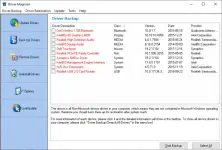
Driver Magician offers a professional solution for device driver backup, restoration, and update in the Windows operating system. It identifies all the hardware in the system, extracts their associated drivers from the hard disk, and backs them up to a location of your choice. Then, when you format and reinstall/upgrade your operating system, you can restore all the “saved” drivers just as if you had the original driver diskettes in your hands.
- Disconnect from the internet (Recommended).
- Extract and install Driver Magician 6.5 by using setup.
- After the installation, run the software and use the keygen to activate the program.
- It’s done, Enjoy Driver Magician 6.5 Full Version.
What’s more, Driver Magician has a built in database of the latest drivers with the ability to go to the Internet to receive the driver updates. It saves lots of time to find the correct drivers and mature drivers will obviously increase the performance of hardware. If there are unknown devices in your PC, Driver Magician helps you detect them easily and quickly with its built in hardware identifier database.
Key features:
Key features:
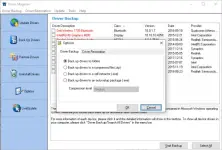
- Back up device drivers of your computer in four modes.
- Restore device drivers from backup in one mouse click.
- Update device drivers of your PC to improve system performance and stability.
- Uninstall device drivers
- Live Update device identifier database and driver update database.
- Detect unknown devices.
- Back up more items such as My Documents and Desktop.
- Restore more items from backup.
- Get detailed information of the hardware drivers.
- Clone all drivers to an auto-setup package (.exe), so you can restore drivers without installing Driver Magician.
Driver Magician
You do not have permission to view the full content of this post.
Log in or register now.
You do not have permission to view the full content of this post. Log in or register now.
Size: 6.0 MB
Driver Magician 6.5 Crack & Keygen {2026}
You do not have permission to view the full content of this post. Log in or register now.
You do not have permission to view the full content of this post. Log in or register now.
Size: 6.0 MB
Driver Magician 6.5 Crack & Keygen {2026}
You do not have permission to view the full content of this post. Log in or register now.