 PH
PH
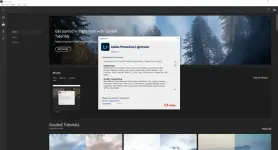
Adobe’s Photoshop software for photo editing expert manner and schedule Bridge to manage and organize images form a comprehensive offer, but the software Adobe Photoshop Lightroom both management and image editing as necessary and desirable for photographers and designers in an environment that provides Is. It’s non-destructive editing is done in the form of Non-Destructive or the original file remains unchanged. The basic idea of the software produced by Adobe in 2002, was one of the developers and, gradually completed and ImageReady software features also be included.
Features :
The interface is very attractive and friendly
View, manage and organize images in a graphical environment and beautiful
Perform a variety of editing actions to improve the color, brightness, contrast, noise, size and Pictures
Editing a variety of video formats commonly used as a nondestructive and without altering the original file
Ability to print images at full settings
Ability to create image gallery and use it on the web
Advanced search and detailed images
View images as a slideshow with support for video files
Coordination and integration with Photoshop
How To Install?
1.Install the program from the given setup.
Don’t run the application yet and close from system tray or task manager if running.
2. Extract the “ρá†ch Fix.zip” to directory where you’ve installed the program.
3. Run the ρá†ch as admin and apply it. (you may need to find the .exe to ρá†ch)
Boom! Now you can use the program without any interruptions.
4. That’s it, Enjoy now

DDL:
You do not have permission to view the full content of this post. Log in or register now.