 PH
PH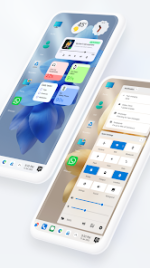
 App Description: Win 12 Launcher v10.1 [Pro]
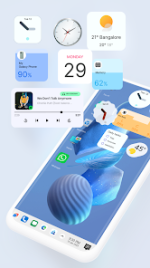
Transform your Android interface into a professional desktop environment with Win 12 Launcher. This application recreates the sophisticated aesthetics and functional workflow of a modern computer operating system directly on your smartphone.
Key Features
Native Desktop UI: Experience a complete visual overhaul featuring a taskbar, start menu, and desktop shortcuts.
Integrated File Manager: Manage files with professional tools including Copy, Paste, Zip/Unzip, and RAR support.
PC Directory Structure: Navigate your storage using a familiar "My Computer" interface for enhanced productivity.
Network Connectivity: Share files and folders over Wi-Fi or access data remotely via FTP and LAN protocols.
Advanced Customization: Personalize your workspace by creating desktop folders and organizing widgets with a right-click style menu.
Optimized Performance: High-speed navigation designed for Android 5.0 and above.
Upgrade your mobile experience with a launcher built for efficiency and style. Achieve the look of a high-end workstation while maintaining the portability of your Android device.
 What's New: - Bug fixes
  MOD Features:
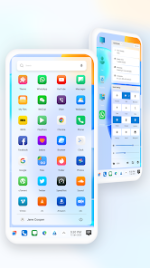
 - Start Menu
- Application in Stylish Tiles - In Start Menu
- Best application are available on One Click - Create Shortcuts of most used application on Desktop by press and Hold
- Easy Navigation to the Apps
- Built-In support of File Explorer in Computer Launcher 2
- Create Folders, Cut, Copy, Paste, Move, Share etc.
- Listing of all of your drives, SD Card, Storage, audio and video files and pictures in PC style.
- Taskbar
- put the files to Recycle Bin and delete later in win 11 style
- Built-in ZIP support allows you to decompress or extract ZIP/RAR files
- Widgets
- Drag and drop Improved
- Clock Widget
- Weather Widget
- RAM info widget
- Changeable folders
- Live Wallpapers
- Photo tiles changeable
- Task-bar icons removable
- App Folders
- Weather, Calendar and Photos tiles Added
- Task-bar Transparency option added
- Improved Themes Compatibility
- Multi Tasking Made optional (enable /disable from settings)
- Lock Screen
- Multi Color Support for Task bar and menu
- Themes and Icon Pack - Android TV /Tablet support
- Hide Applications
- Icons Removable
- Add Applications in Start Menu (ρáíd Only)
- Change the Start Menu Application (Press and Hold the app to change)
- Change applications in Task-bar (Press and Hold)
- Built-In Gallery
- Photo Tile changeable
- Built in apps (Photo viewer)
- ✪ Pro / ρáíd
- unlocked;
- ✪ All Debug Codes Removed;
- ✪ CPUs: armeabi-v7a, arm64-v8a;
- ➥ Modded By TRUMods
 Download Link:
Download
Download Link:
Download