 PH
PH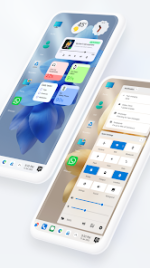
Computer Style Home Launcher v11.1 [Pro]
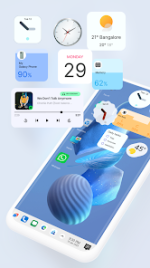
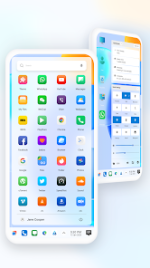
This launcher transforms the Android interface into a desktop-style environment, emulating Windows-inspired UI elements and file management systems.System Requirements & Version Info
| Attribute | Specification |
|---|---|
| Android Version | 7.0 and up |
| Current Version | v11.1 [Pro] |
| License | Premium / Pro |
| Design Paradigm | Windows 10 / 11 / 12 Style UI |
Core Functionality
Desktop & Navigation- Start Menu: Accessible application list with stylish tiles.
- Taskbar: Customizable bar with removable icons and transparency options.
- Action Center: Dedicated notification center for system and application alerts.
- Desktop Shortcuts: Long-press functionality to pin frequently used apps to the home screen.
- Recycle Bin: Windows 11 style file recovery and deletion system.
- Operations: Create folder, Cut, Copy, Paste, Move, Delete, and Rename.
- Storage Access: Unified listing of internal storage, SD cards, and categorized media (Audio, Video, Pictures).
- Compression: Built-in ZIP and RAR support for file extraction and decompression.
- Network Sharing: File sharing over Wi-Fi, including FTP and LAN access.
Key Features & Customization
| Category | Features |
|---|---|
| Widgets | Clock, Weather, RAM Info, and Photo Tiles. |
| System | Multi-tasking (Toggleable), Hide Applications, and Lock Screen integration. |
| UI/UX | Drag-and-drop improvements, Multi-color support for Taskbar/Menu, and Live Wallpapers. |
| Compatibility | Support for Icon Packs, Themes, and Android TV / Tablet layouts. |
| Pro Features | Customizing Start Menu applications, Premium Themes, and Ad-free experience. |
Technical Enhancements
- Improved Themes Compatibility: Better integration with third-party icon packs.
- Built-in Tools: Integrated Gallery and Photo Viewer.
- What's New: Implementation of new wallpaper types and refined drag-and-drop mechanics.