PH
PHGian123123
Established
for this tut you'll need:
laptop or pc na may RTX GPU
Nvidia App
1st go to nvidia app
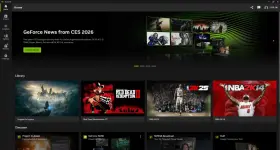
2nd go to settings -> about
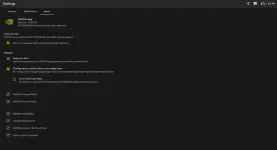 3rd check the "opt in to access beta or experimental features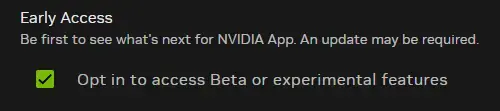
4th update your drivers (mine is already updated to the latest one pero sa screen nyo magkakaron ng new update) then wait nyo lang matapos

5th after the update go to graphics -> global settings then find dlss override

6th click model presets then pick "Latest" then click apply NOTE: SOME RTX GPUS DOESNT SUPPORT DLSS FRAME GEN SO IGNORE IT
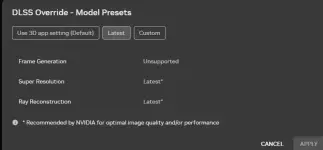
7th open a game that supports upscaling methods like rdr2 or cyberpunk then turn dlss on, u can use quality or balanced whatever works the best for you

8th have fun and enjoy better graphics while retaining the smooth experience
SIDE TO SIDE COMPARISONS
NATIVE - NO UPSCALING METHOD
(Credits to MxBenchmarkPC in yt)
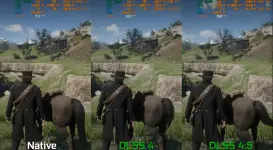
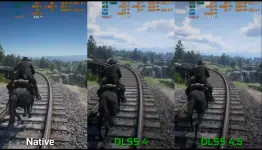
if yall have questions comment lang ill try to answer based on my experience
for RTX GPUs na di supported frame gen eto alternative
rtx 2050 gamit ko dito pero umaabot 100fps, high textures with dlss 4.5 quality + lsfg
View attachment 4018058
settings ng lossless scaling:
View attachment 4018059
lossless scaling dl link:
You do not have permission to view the full content of this post. Log in or register now.
then open the folder may makikita kayong "_Lossless Scaling - Registry Fix (Run this first)" double click nyo yon then if may mag prompt click yes then ok. after non u can open the app.
if alanganin kayo sa pirated version u can buy it from steam for 239 pesos, nabili ko na sya pero im giving options sa mga sanay na mag crack hehe