 PH
PHCarlos2026
Contributor
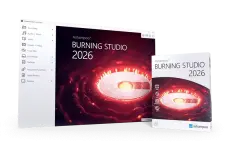
Ashampoo Burning Studio is a comfortable way to burn your data securely and copy CD, DVD, and Blu-ray discs without effort. It also gives you access to a range of top-of-the-line multimedia features. Create your own movies and slideshows, modify existing discs, or create video discs with animated menus.
- Download Link
- Features
- Screenshots
- Whats new?
- The simple but feature-rich burning software: Many users are astonished when they first pick up Burning Studio 21. Is it really that easy? You bet! Everything is designed around three logical steps: select files, select operation, and select target.
- Create your own movies and slideshows with ease: With Burning Studio 21, there’s no limit to what you can do! Cut your movies and add intros and outros in just a few clicks. Misaligned videos can now be instantly rotated. Subtitles help you deliver your message and ready-made themes or custom graphics provide the much-coveted polish.
- Backups on schedule: Do you save your files in the cloud? Why not keep your files at home and burn them to CD, DVD, or Blu-ray? The handy backup plans in Burning Studio 21 do the heavy lifting for you.
- Relax and listen to music and audiobooks on your car radio: When you’re burning discs for your car radio, picking the right format is crucial or you’ll lose the song order or end up with a non-playable disc.
- Rip music discs and burn audio files: Need to extract audio from your music CDs? The clever disc-ripping feature in Ashampoo Burning Studio 21 extracts audio from the music disc in a matter of minutes! Artist and genre are automatically recognized, there’s no need for manual input.
Ashampoo Burning Studio
You do not have permission to view the full content of this post. Log in or register now.
You do not have permission to view the full content of this post. Log in or register now.
Size: 173.3 MB