 PH
PHCarlos2026
Contributor
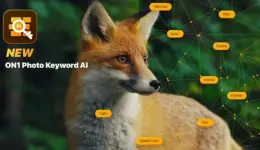
ON1 Photo Keyword AI 2023.5 v17.5.1.14079 (x64) Multilingual
Created byYou do not have permission to view the full content of this post. Log in or register now.
Version2023.5 v17.5.1.14079
License typefull_version
Release DateJune 20, 2023
LanguagesChineseDutchEnglishFrenchGermanItalianJapaneseKoreanPortugueseRussianSpanish
Overview of ON1 Photo Keyword AI
In the age of digital photography, managing and organizing a vast collection of images can be daunting. With thousands of photos stored on our devices, finding specific images becomes increasingly challenging.
Fortunately, ON1 Photo Keyword AI for Windows is here to revolutionize the way we organize and search for our digital photos. This powerful software leverages artificial intelligence to automatically analyze and assign relevant keywords to your images, saving you valuable time and effort. This article will explore features, system requirements, and frequently asked questions about ON1 Photo Keyword AI for Windows.
Features of ON1 Photo Keyword AI
- Artificial Intelligence-powered Keywording: ON1 Photo Keyword AI utilizes advanced artificial intelligence algorithms to analyze your images and automatically assign exact keywords. This eliminates manual keywording, saving you significant time and effort.
- Efficient Image Organization: With a vast collection of photos, finding specific images becomes a breeze with ON1 Photo Keyword AI. The software lets you quickly search for images based on the assigned keywords, making it easy to locate and retrieve the desired photos in seconds.
- Customizable Keyword Sets: ON1 Photo Keyword AI offers a wide range of built-in keyword sets tailored to different genres of photography, such as landscapes, portraits, sports, and more. Additionally, you can create and customize your keyword sets to suit your specific needs and preferences.
- Seamless Integration: The software integrates with popular photo management applications like Adobe Lightroom and ON1 Photo RAW. This ensures a smooth workflow, allowing you to effortlessly incorporate ON1 Photo Keyword AI into your existing photo editing and organization process.
- Bulk Keywording: ON1 Photo Keyword AI enables you to process large batches of images simultaneously, significantly reducing the time required for keyword assignment. Whether you have hundreds or thousands of photos, the software can handle the task efficiently, saving you precious time.
Technical Details and System Requirements
- Supported OS: Windows 11 / Windows 10 / Windows 8.1 / Windows 7
- Processor: Multicore Intel Series or above, Xeon or AMD equivalent
- RAM: 4GB (8GB or more recommended)
- Free Hard Disk Space: 4GB or more recommended
FAQs
Q: Can I use ON1 Photo Keyword AI as a standalone application?
A: ON1 Photo Keyword AI can be used as a standalone application, allowing you to organize and search for your images efficiently. However, it also integrates seamlessly with popular photo management applications like Adobe Lightroom and ON1 Photo RAW.
Q: Does ON1 Photo Keyword AI require an internet connection?
A: No, ON1 Photo Keyword AI does not require an internet connection for the keywording process. The AI algorithms and keywording capabilities are built into the software, ensuring privacy and independence from the internet.
Q: Can I customize the assigned keywords?
A: Yes, ON1 Photo Keyword AI offers the flexibility to create and customize your keyword sets. You can tailor the keywords to match your photography style or add additional keywords.
Q: What file formats does ON1 Photo Keyword AI support?
A: ON1 Photo Keyword AI supports a wide range of popular image file formats, including JPEG, TIFF, PNG, and RAW formats, from various camera manufacturers.
- You do not have permission to view the full content of this post. Log in or register now.
-
- The password for Zip file is: 123