 PH
PHjeromeanito
Eternal Poster
Kayo na bahala mag tuloy hehehe. nasa python palang tinatamad na ako ii

pero pag sinipag ako ituloy ko. hehehe
Old:
You do not have permission to view the full content of this post. Log in or register now.
Updated File (Sorry mali pala upload ko
)You do not have permission to view the full content of this post. Log in or register now.
Unfinished Amazon Product Research Tools
UPDATE December 14, 2025
STEP 1
Need to be installed:
• pandas | pip install pandas
• matplotlib | pip install matplotlib
• undetected-chromedriver | pip install undetected-chromedriver
• selenium | pip install selenium
NOTE: Edit the Python save directory using Notepad++ for ease, or any software you're comfortable with,
find output_dir = r"E:\App-Scrape-New"
change nyo yan sa desire folder nyo,
Example, sa documents nyo gusto isave para madali makita,
ilalagay nyo output_dir = r"C:\Users\User\Documents"
STEP 2
Eto naman po yung Required Column para sa Supplier:
Title, Price, Image-src, Link-href
Ganito ang tamang pag gamit:
For Example, Gusto mo Scan Costco Grocery:
Example Link:
You do not have permission to view the full content of this post. Log in or register now.
Ang makukuha mo na column from Supplier:
Title | Price | Image-src | Link-href
After Scraping > Export
STEP 3
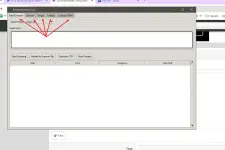
Import sa nyo yung File na na export nyo sa Scanner Tab
STEP 4
Select Region > Don't change Search Engine > Start Scan
Wait until Finished
STEP 5
Copy All ASIN > Go to Keepa > Product Viewer > Paste All ASIN > Set up all the required Column > Export
NOTE: Dapat ρáíd or may subscription yung Keepa account nyo para magamit nyo yung Product Viewer
STEP 6
Import nyo yung Files na galing sa Keepa sa software dun sa Keepa Tab
STEP 7
Go to the Look up Tab (For FBA) go to the Look up Tab (FBM) for FBM sourcing
• Click "Look up all!"
• Set Filter Above to base sa desire nyo na filter > Apply Filter
• Export as HTML
TADA! Tapos open nyo yung files, it will open as Chrome HTML file.

 : Current
