 PH
PHCarlos2026
Contributor

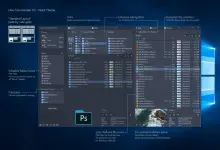
OneCommander is a modern file manager for Windows 10 and Windows 11. Features include tabs, dual-pane browsers, column navigation, built-in preview, a theming system, color tags, and much more. It is free for home use and has no ads.
-
- Download Link
- Features
- Screenshots
- Whats new?
-
- Fast (DirectX and custom rendering. Not a UWP app)
- Tabs (saved between sessions)
- Dual-pane browsing
- Miller-Columns navigation (improved over MacOS Finder) or Standard layout
- Dark and Light themes (user-editable themes, icons, scripts)
- File Preview built-in (Press Spacebar). Additional support for QuickLook and Seer
- Long Unicode Path support (not limited to Windows’ 260 characters in path)
- Organize Favorites into project groups
- Quick Filtering of the current folder (type to filter)
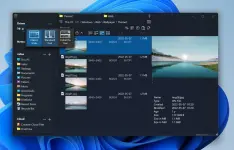
- Picture Preview with Metadata and GPS photo location
- Adaptive view and dynamic columns, with file age, metadata, folder sizes
- Named windows (save tabs, layout, and position)
- ToDo Tasks and Notes in any folder
- Paste text and images directly as files, or paste video links to download as mp4
- File Automator with RegEx renaming and Image Converter
OneCommander Pro
Size: 64.9 MB
You do not have permission to view the full content of this post. Log in or register now.
You do not have permission to view the full content of this post. Log in or register now.