 PH
PH-
Welcome to PHCorner Forums! Sign up for free to unlock full access and exclusive privileges, including:
- Asking questions about computer and mobile issues
- Discovering internet tips for your mobile network and computer
You are using an out of date browser. It may not display this or other websites correctly.
You should upgrade or use an alternative browser.
You should upgrade or use an alternative browser.
❓ Help HELP Text to Speech tagalog and english
- Thread starter put0
- Start date
I understand you completely. Github is a developer site, so new users should dig further to fully understand how the app works and everything else. I too fell victim on that "info trap" back when I started.I meant before I used it unlimited, but now may bayad na sya?, I got no idea how it works na, even the github site, sorry, newbie here.
Tester lang ako ng TTS kaya I may be wrong in my assessments. Sa akin, sa mga sikat na services Elevenlabs is the best (premium TTS) together with Google and OpenAI para sa Tagalog. May mga ibang ayos din na SOTA (State of The ART) TTS pero bihira kang makakita ng supported voice sa Tagalog or the standard Filipino voices. Umikot na lang kayo sa tatlo kung saan may free decent use nila. Ang recommended ko for longer use is via puter.js - google nyo na lang. Sakop nyan yung tatlo since unlimited use yan sa ngayon.Thank you sir, very helpful mga binibigay mo hehe. solid kasi parang hindi AI nag sasalita.
Eto ang isang method to use Google Cloud TTS pero di ko alam kung hanggang saan yung limit nya:
Spoiler contents are visible only to Established Members.
Nalimutan ko palang sabibihin, kung di kayo kuntento sa boses, pwede nyong palitan yung audio voice sa weights.gg. Maraming Pinoy models doon na free to use.
starlouise03
Established
thank you, yung sa google ba walang limit?
No offence ha! May limit siyempre. Kahit yung ρáíd nga may rate limits - sa tokens, characters, sessions. Official (Google) demo nila yan noon pa for testing purposes. Kung gumagamit kayo ng Balabolka, malalaman nyo yan - to bypass daw the api key requirement.thank you, yung sa google ba walang limit?
Ang pinamalapit na mirror nyan as demo, is this link:
You do not have permission to view the full content of this post. Log in or register now.
Di ba yan yung nasa gstatic link?
(Note: use a media downloader while streaming your audio results to save them)
Kung interisado ka, use a credit card to to avail of the free 300$ initial free credits.
Para malaman mo yung quota, check here:
You do not have permission to view the full content of this post. Log in or register now.
Nandyan yung limit na pwede nang pagtiyagaan.
Ganito, pag mga TOP AI providers like OpenAI, Google, Groq, Claude, etc., sa kahit anong modes (TTS, Text, Image, Audio, Video.....) pag may nakita kayong "unlimited", i-verify nyo muna yung terms ng unlimited use. Sa mga top companies, kumpleto yung documentations nila. Kung hindi specified, you need to check their user forums. Kung galing yung api sa 3rd party providers, you need to look for their conditions.
Most of the time, "unlimited" means you can use it everyday (for an infinite period) with their corresponding rate limits per model. Pag sinabing "no limits", still verify the "caveats". Why, because every AI has its limits internally as well as its api service for free and ρáíd personal plans. An example is "Speechma", na pinaghalong mga TTS engines, models/voices from other free/semi-free services, incorporated and modified on their site. Unlimited siya pero may limit na 2000 characters per session. Merong siyang 13 Filipino voice models, pero si Angelo at Blessica lang talaga yung "real" Filipino voices he he. (Note: Both are part of Microsoft's neural text-to-speech models made available through the Azure AI Speech service released in 2021 - used in Edge browser). Edge TTS using neural AI voices (though older) is the closest to unlimited use at this time - at standard ~10-minute audio per request for the free service. Kung kuntento kayo sa Tagalog voices ng Edge TTS at gusto nyo ng mahaba pa sa 10 minutes, use this: You do not have permission to view the full content of this post. Log in or register now.
Ang tip ko na lang to get your free premium Tagalog TTS service is to scroll all available free AI providers, pinpoint your target TTS model/s, collect multiple accounts (or use vpn) to maximize your sessions/requests (character requirements) to finish your project without spending a peso. Tried and tested! Sa beta testing lang kalimitan ang may real and possible unlimited use.
Pag may nakita akong easy method, post ko dito.
Open.fm is the same as following the OpenAI Speech API here:Ung openai fm di na talaga magagamit ng walang masyado alam sa GitHub, I been using it Kasi, parang naging brand na channel ko ung Isang particular na voice,
You do not have permission to view the full content of this post. Log in or register now.
Piliin mo na lang yung voice model mo, vibe or persona sa ibang platforms na meron siya.
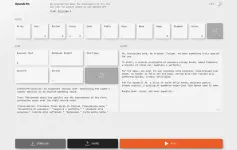
Kung di na gumagana yang demo for OpenAI's Speech engine, you need to find the same service elsewhere. Baka tinigil na nila yung api service for some reason. Ang alam ko lang, the demo uses "gpt-4o-mini-tts" model, pero sa iba baka mataas na model na.
Ito yung info for that specific model:
You do not have permission to view the full content of this post. Log in or register now.
Wala akong live openai api key to check the models, so the best that you can use is find a free provider is the following:
- tts-1 (optimized for speed)
- tts-1-hd (optimized for quality)
- gpt-4o-mini-tts (default, speed and cost optimized)
- gpt-4o-tts (higher quality version of gpt-4o models)
using curl sa cmd:
Code:
curl https://api.openai.com/v1/models \
  -H "Authorization: Bearer $OPENAI_API_KEY"
So your only option that I know at the moment is this:
1. Sa puter.js (google it to find out) ay merong option to use openai speech api for free pero complex lang, though may templates na to run the samples. You need to modify to make a complete package by adding the features you want. Test mo na lang yung TTS models sa taas for your preference.
2. Sa You do not have permission to view the full content of this post. Log in or register now. is the closest you can get for readymade UI like in open.fm demo link.
3. Sa ᑕᕼᗩTGᑭT.com meron din by searching at "Exporer GPTs" for OpenAI or other TTS agents. Use the prompt to control the vibes
4. Create an account sa huggingface and browse possible OpenAI TTS aps sa You do not have permission to view the full content of this post. Log in or register now. . Better create your personal token; might need it in the future
I'm sure, may iba pang AI providers that could help you in your project.
Sa #2/#3 may limits, but try my previous suggestions to maximize usage. Sa HF, mataas naman yung free limits dyan, but there is no assurance that the public apps in the "Spaces" work all the time. If they run in "cpu" mode, you can clone them for free as your personal app (in your account).
I hope my suggestions help.
Gemini TTS, sa puter.js? Or di ko lang naintindahan. Wala yata noon anak sa puter.js! Ito lang yung available.Im still using Gemini, I tried the puter.js it has limit 200 characters?
Sa max. character limit, 3000 characters ang alam ko "sa puter api", kaya halos lahat ng sample codes dyan ay 3000 characters yung nakalagay. See here: You do not have permission to view the full content of this post. Log in or register now.Available APIs and Engines via puter.ai.txt2speech()
You can leverage the following providers and engines through the single Puter.js function:
- ElevenLabs API: This offers high-quality, natural-sounding, and generative speech synthesis. You can choose different ElevenLabs voices and models directly through the Puter.js function parameters.
- OpenAI API: Access models such as gpt-4o-mini-tts, tts-1, and tts-1-hd. Various voice IDs (e.g., 'alloy', 'nova', 'shimmer') and output formats (e.g., 'mp3', 'wav', 'opus') are available as options.
- Puter.js Native Engines: Puter.js offers its own three distinct speech synthesis engines, which can be specified:
- Standard: The default engine offering good quality speech synthesis.
- Neural: Provides higher quality, more natural-sounding speech.
- Generative: Uses advanced AI for the most human-like speech.
Ngayon, kung sakaling i-throttle ka ng puter api sa 200 characters sa "actual use", malamang galing yan sa api ng TTS na gamit mo, like using premium models ng TTS engine. Ganyan lang yung maaaring scenario.
Dahil medyo kapangalan mo pa misis ko he he, bigyan kiya ng bonus. Related ito sa post#26 mo using openai.fm. Kung gusto mong gayahin yung paborito mong settings (related sa vibes), basahin mo mo yung library.ts na nasa src/lib folder sa github. Ito yon: You do not have permission to view the full content of this post. Log in or register now.
Nandyan yung settings (instructions/prompts).
Ito yung key advantages ng paggamit ng OpneAI GPT TTS models compared sa old tts-1 at tts-1-hd na supported din ng puter.js:
Yan yung target natin. Kaya lang ~2000 character limit siya compared sa tts-1 models na kaya hanggang ~4000 characters (as per OpenAI api standard).Key Advantages of gpt-4o-mini-tts
Unlike the standard tts-1 models, this model is designed for intelligent, real-time applications and offers enhanced steerability:
- Custom Instructions: You can pass an instructions parameter to control the voice's tone, pacing, and mood (e.g., "sound cheerful but not too fast").
- Expanded Voice Library: It supports more voices than the standard models, including Ballad and Verse, in addition to the standard set (Alloy, Echo, etc.).
- Steerable Speech: It can be prompted to control specific aspects like accents, emotional range, and intonation.
Sa Gemini TTS, since magtitiyaga tayo sa limited characters per request, better use the cli app:
You do not have permission to view the full content of this post. Log in or register now.
May single, batch processing, merging ng audios, custom instructions, etc. - see examples folder.
Madali naman ang api key/s he he.
You do not have permission to view the full content of this post. Log in or register now.
May single, batch processing, merging ng audios, custom instructions, etc. - see examples folder.
Madali naman ang api key/s he he.
Same here. Don't expect too much sa Tagalog TTS at di masyadong malaki ang datasets nyan at training compared sa mga nauna like English and other major languages. You may need to clone it with your custom voices elsewhere or locally (using Replay)- another means to circumvent copyright claims. Good Luck.Thank you sobrang helpful talaga ng mga tips mo, merry Christmas,
Wala na yung filipino papsNote: You do not have permission to view the full content of this post. Log in or register now. is an interactive demo to showcase the new OpenAI text-to-speech models. Pag ubos na yung initial free credits (test api credits na worth 5$) tigil na yung service. Gawa ka ulit ng new account or try
he he. Akala ko walang Tagalog pero pag-login nyo, just select Filipino, gender and age - mga 3000 characters ang limit per session. Hanap kayo muna ng matinong OpenAI voice sa list nila - default is Onyx. Free yan sa ngayon - magpapasko kaya marami rin ganyan sa net.
Tapos na yung beta nyan noon pa. Hanap ka na lang ng model na gpt-4o-mini-tts kung meron pa. Halos yan yung gamit nyan. Pwede na rin pagtiyagaan yung qwen3-tts na free online. Search mo na lang. Ewan ko kung kaya nya yung Tagalog, he he. Sa english ko gamit yan.Wala na yung filipino paps
it has daily Quota ? i generated a min of script, it say i already reached the daily limitTapos na yung beta nyan noon pa. Hanap ka na lang ng model na gpt-4o-mini-tts kung meron pa. Halos yan yung gamit nyan. Pwede na rin pagtiyagaan yung qwen3-tts na free online. Search mo na lang. Ewan ko kung kaya nya yung Tagalog, he he. Sa english ko gamit yan.
Lahat naman may daily quota, he he. Once ina blue moon ang fully unilimited na sandali lang lumitaw online. kailangan, babad ka sa net para mauna ka sa listahan. Kaya ypu need a large collection of free api credits to reach an unlimited state. Kahit naman ρáíd, limited din. Best is use local TTS para wala kang intindihin. Kaya lang, walang Tagalog na open-source TTS na maganda yung audio sa ngayon and you need to have a good hardware. Kung mag-stick ka sa English, dyan maraming unlimited for local use na simbilis ng SAPI5 like Supertonic. Sa online, yung Microsoft Speech Platform lang using their free Edge TTS sa Edge Browser ang halos free with Tagalog support - same as Speechma. Kahit ito, may free tagalog pero di mganda yung grammar na gamit yung mga old TTA engines: You do not have permission to view the full content of this post. Log in or register now.it has daily Quota ? i generated a min of script, it say i already reached the daily limit
Kumpara nyo dito: You do not have permission to view the full content of this post. Log in or register now. , di hamak mas maganda yung Tagalog nito using omniroute TTS though di pa perfect. Yung vibevoice is designed as ubiversal STT/TTS, kaya pwede rin sumubok ng voice cloning para makakuha ng Tagalog audio rendering. Nasa documentation naman yan.
Uso na rin yung i-integrate yung online TTS as your SAPI5 TTS engine. Ang problema na lang yung "no limit" access nila.
Ang option para tumagal siguro, is run the TTS model na gusto ninyo via Google Colab para matagal gamtin - as a free option. Tapos intay kayo ng waiting period para makaulit. Or just pay as you go.
thank you dito, i tried, ttsomni.com, since english naman ang content ko now, maganda sya,Lahat naman may daily quota, he he. Once ina blue moon ang fully unilimited na sandali lang lumitaw online. kailangan, babad ka sa net para mauna ka sa listahan. Kaya ypu need a large collection of free api credits to reach an unlimited state. Kahit naman ρáíd, limited din. Best is use local TTS para wala kang intindihin. Kaya lang, walang Tagalog na open-source TTS na maganda yung audio sa ngayon and you need to have a good hardware. Kung mag-stick ka sa English, dyan maraming unlimited for local use na simbilis ng SAPI5 like Supertonic. Sa online, yung Microsoft Speech Platform lang using their free Edge TTS sa Edge Browser ang halos free with Tagalog support - same as Speechma. Kahit ito, may free tagalog pero di mganda yung grammar na gamit yung mga old TTA engines: You do not have permission to view the full content of this post. Log in or register now.
Kumpara nyo dito: You do not have permission to view the full content of this post. Log in or register now. , di hamak mas maganda yung Tagalog nito using omniroute TTS though di pa perfect. Yung vibevoice is designed as ubiversal STT/TTS, kaya pwede rin sumubok ng voice cloning para makakuha ng Tagalog audio rendering. Nasa documentation naman yan.
Uso na rin yung i-integrate yung online TTS as your SAPI5 TTS engine. Ang problema na lang yung "no limit" access nila.
Ang option para tumagal siguro, is run the TTS model na gusto ninyo via Google Colab para matagal gamtin - as a free option. Tapos intay kayo ng waiting period para makaulit. Or just pay as you go.
OmniVoice yung may external service na may magandang tagalog din at may E×ρréššions na automatically. Sa You do not have permission to view the full content of this post. Log in or register now. nila ako nag-test a few months back na may zero shot cloning. Kahit may accent kuha nya (manilenyo, taga-cavite, bisaya, ilokano, ilonggo...) basta may 10-sec clip ka. Wala lang dyan option sa ttsomni. It supports 600-languages. Abangan mo na lang yung mga updates sa mga TTS dahil ang dev-trend is adding a voice clip cloning feature to create a multi-language replica. Parehas sa llm na dinadagdagan ng lora for customized/specific use para iwas na yung user to train it.thank you dito, i tried, ttsomni.com, since english naman ang content ko now, maganda sya,
Ang regular na gamit ko for reading aloud is Supertonic TTS na ka-partner ng Gemini Nano (LLM) for light tasks - all local AI. Gemma4-2b-Q4 pag may tool-calling for simple automation. Kahit 3rd-gen pc kaya yan.
Yang OmniVoice with voice cloning, pwede sa cpu mode pero di ko pa nasubukan. Sa voice cloning, skip mo lang yung ASR (via Whisper) para bawas sa trabaho ng cpu. Ikaw na yung mag-transcribe ng audio. Yung vibevoice ayos din sa cpu mode. Kailangan, subukan nyo muna yung local AI kaysa mag-rely sa online services na very limited.
Test mo dito: You do not have permission to view the full content of this post. Log in or register now.
Hanap ka ng omnivoice o clone nya like Ming-omni-tts sa huggingface spaces to test.
Similar threads
-
📦 Android App AI Voice - Text to Speech TTS v1.2.2 b52 MOD APK | Premium Unlocked
- Started by elamods
- Replies: 1
-
📦 Android App Text to Speech TTS Reader v2.1.0 [Pro]
- Started by KumaKuma
- Replies: 5
-
📦 Android App Zueira's Voice: Text to Speech v6.1.82 [Premium]
- Started by KumaKuma
- Replies: 0
-
📦 Android App Zueira's Voice: Text to Speech v6.1.82 b61082 [Premium] [Mod]
- Started by elamods
- Replies: 0
-
About this Thread
-
44Replies
-
2KViews
-
7Participants
Last reply from:
alist1986
alist1986
New Topics
-
This AI video is an absolute masterpiece
- Started by KumaKuma
- Replies: 1
- 🧠 Artificial Intelligence
-
FREE $200 AI MODELS
- Started by PHC-Mqnzanal
- Replies: 0
- 🧠 Artificial Intelligence
-
DeepSeek V4.1 Flash Ùn*énsøréd is FREEE
- Started by KumaKuma
- Replies: 2
- 🧠 Artificial Intelligence
-
Fresh muse 1 billion tokens
- Started by ahmadali7716
- Replies: 0
- 🧠 Artificial Intelligence
-
FREE AI MODELS WITH BIG CREDITS $200
- Started by rtramos020317
- Replies: 1
- 🧠 Artificial Intelligence
-
Video Prompt: Dark Fantasy Sword Ritual
- Started by KumaKuma
- Replies: 1
- 🧠 Artificial Intelligence
-
Video Prompt: Cinematic Shaolin Monk Martial Arts Action
- Started by KumaKuma
- Replies: 0
- 🧠 Artificial Intelligence
-
Video Prompt: First-Person POV Dragon Rider Cinematic
- Started by KumaKuma
- Replies: 1
- 🧠 Artificial Intelligence
-
Video Prompt: Mountain Cliff Roller Skating Action
- Started by KumaKuma
- Replies: 0
- 🧠 Artificial Intelligence
-
Video Prompt: Cinematic Action Roller Skating Sequence
- Started by KumaKuma
- Replies: 0
- 🧠 Artificial Intelligence
Trending Topics
Online now
- Members online
- 1,013
- Guests online
- 9,626
- Total visitors
- 10,639