 PH
PH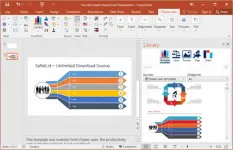
Want to create stunning presentations and spreadsheets that wow your audience? Power-user Premium is here to help! This powerful add-in for PowerPoint, Excel, and Word offers a vast library of templates, icons, charts, maps, and diagrams to make your documents stand out.
With Power-user Premium, you can impress clients and managers with professional, eye-catching graphics and designs. Whether you’re crafting a presentation or analyzing data, this tool enhances your productivity and creativity.
Ready to take your documents to the next level? Download and install Power-user Premium today. Once you’ve tried it, let me know how it worked for you—did the review cover all the features you needed? Start creating impressive presentations and spreadsheets now!
Features of Power-user Premium Full
Increase your productivityby up to 50% to meet deadlines, save time and reduce labor costs
Focus on making an impact
instead of spending your time on low-added-value tasks like formatting
LIBRARY OF TEMPLATES FOR POWERPOINT, EXCEL & WORD
Don’t reinvent the wheel for every slide or document. Access hundreds of professionally designed templates from the Power-user add-in’s library, and insert them in 1 click. Templates will automatically adjust to your own color scheme. You can also save your own slides or documents in the templates library to keep them accessible anytime. You can also create shared libraries for all users in your organization.
ICONS & FLAGS
Power-user comes with a collection of 3,000 icons and all country flags to illustrate your slides. Icons are vector shapes so you can resize them without deformation and recolor them as you wish. With Power-user you can search icons by categories and with different keywords associated to the same icon to let you find the right icon in just 2 seconds.
DATA MAPS
Our 200+ data maps are powerful tools to illustrate ideas with a geographical dimension. Those maps are fully editable and can be colored automatically based on your Excel data. Within minutes, you can create beautiful maps that will immediately convince your audience.
WATERFALL CHARTS
Waterfall charts are very popular in finance and consulting. They are great for breaking down your data into multiple components, illustrating for instance what positively or negatively impacts a KPI.
MEKKO CHARTS
Create Mekko charts in PowerPoint, Excel, or Word with Power-user. Mekko is one of the most powerful chart types. It can represent 3 dimensions of data and is popular in consulting to show market positions of different companies for instance.
SANKEY CHARTS
Instantly insert breathtaking Sankey charts in PowerPoint, Excel, or Word with the Power-user add-in. Sankey is very effective in illustrating flows such as transactions, exportations, migrations, etc. Sankey Charts can be edited dynamically through a simple and intuitive interface.
PICTURES
Sometimes a good picture tells more than a thousand words. Power-user allows you to browse over 100,000+ pictures and insert them with 1 click. it’s ideal to illustrate concepts or trigger a discussion, without worrying about intellectual property rights. Pictures are inserted in PowerPoint with a size already optimized for your slides.
DIAGRAMS
Embed customized diagrams in no time with Power-user. Diagrams are a powerful tool to illustrate complex ideas and build eloquent slides or dashboards in little time. Diagrams include value chains, gauges, traffic lights, relationships, pyramids, arrows and more.
GANTT CHARTS
Use Gantt charts to illustrate the different phases of a project and their progress. Creating this manually can take hours. With the add-in, you can create them in a few seconds only. It’s a great tool to improve the design of a slide in very little time.
POWERPOINT TOOLS
– Sticky notes, a helpful solution to add comments to your slides and share them with your teamworkers
– Stamps, a solution to instantly mark or un-mark all your slides as “Draft” or “Confidential”
– Mini-slides, to refer to a slide from earlier in the presentation,
– Slide summaries, listing the titles of all selected slides,
– Progress tools, to show the audience how far in the presentation you are.
Download now:
You do not have permission to view the full content of this post. Log in or register now.
