PH
PHgilbert_jpeg
Fanatic
This module doubles your bandwidth, disables Wi-Fi packet logging (has high overhead and several related security issues) and other logging for less background load and perhaps some battery life.
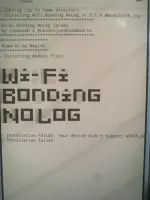
Wi-Fi Bonding NoLog [Qcom]
You do not have permission to view the full content of this post. Log in or register now.Description
This module doubles your bandwidth, disables Wi-Fi packet logging (has high overhead and several related security issues) and other logging for less background load and perhaps some battery life.Others tweaks manual:
- Force Wi-fi Low Latency Mode: This mode consumes more energy even if the screen is off if you want to activate it follow the steps below.
- Open Termux and type: su -c wifilatency
- To disable it: su -c wifilatencyoff
- Tcp low latency (deleted): This is a legacy option, it has no effect anymore.
- Increase Transmission Queue Length:The txqueuelen option in the ifconfig command is used to set or display the transmission queue length for a network interface on Linux. Transmission queue length refers to the maximum number of packets that can wait in the transmission queue before being sent. When you set the transmission queue length with txqueuelen, you define the maximum number of packets that can be queued for transmission on the network interface. A higher value allows for a larger transmission queue, which can be beneficial in high network load or congestion situations, as it provides more space to queue packets before they are dropped or transmission delays occur.
- First check the value of txqueuelen with the following command (termux): su -c "/bin/ifconfig wlan0"
- If the default value of txqueuelen is equal to or greater than 4000 you should edit the txtweak file (system/bin) inside the module and increase the value to test.
- To return to the default simply put the value you checked at the beginning in the following command and paste it into termux (or just reboot your device): su -c "/bin/ifconfig wlan0 txqueuelen valor"
Installation
- First delete your Wi-Fi password
- Uninstall previous version of this module (reboot)
- Install the module in Magisk (reboot)
- Connect to your Wi-Fi.
- Enjoy!