 PH
PHRead Carefully po
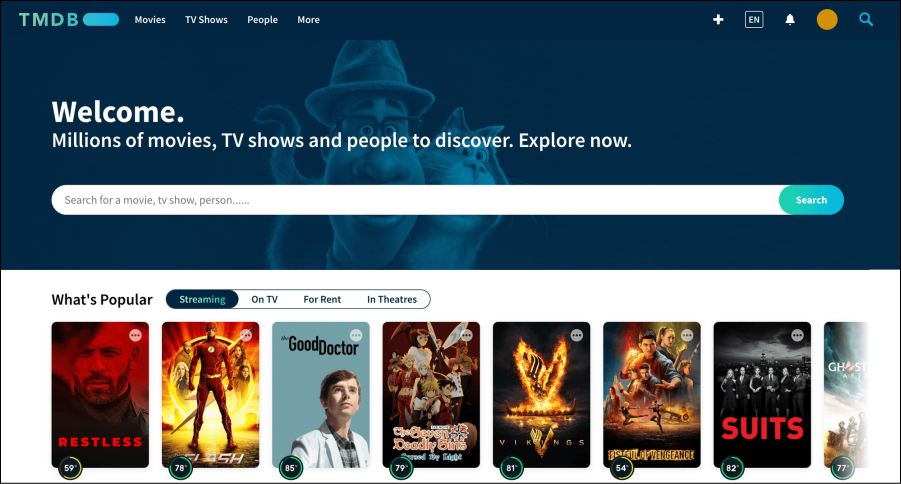
- Log in to your TMDB account.
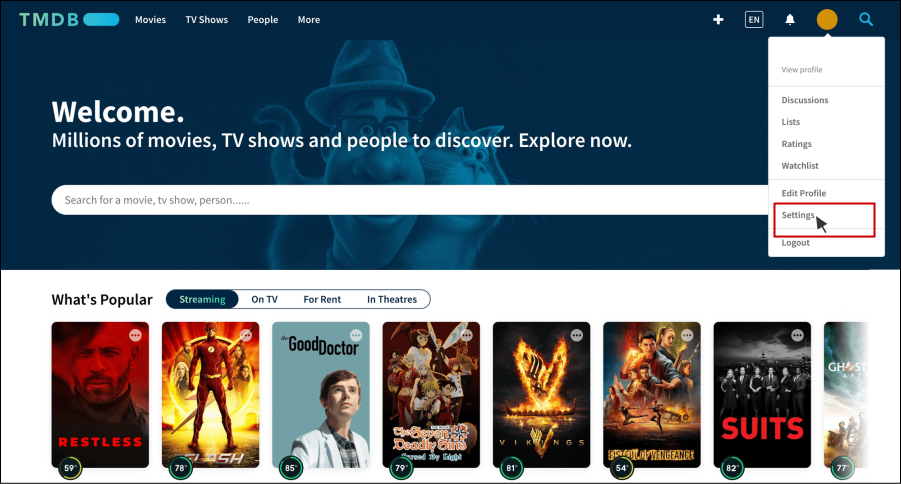
- Click on your name icon at the top right corner and then click “Settings” to go to the settings page.
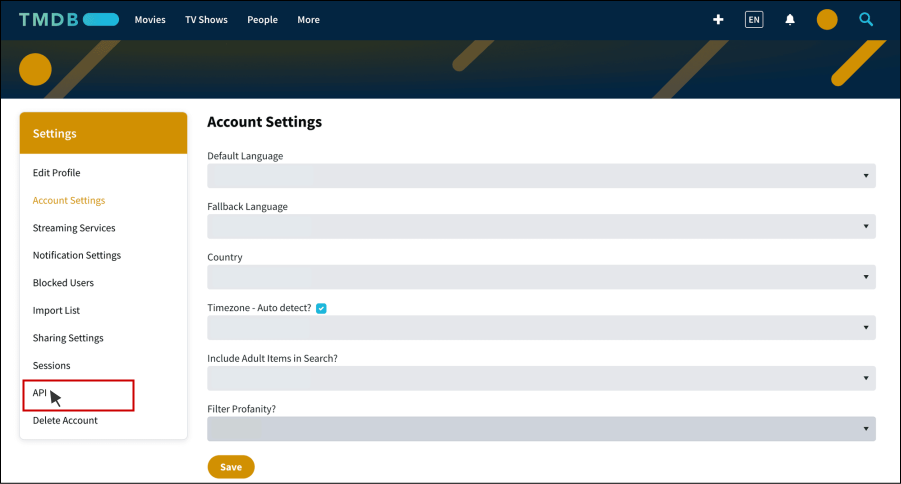
- Click “API” to go to the API creation page.
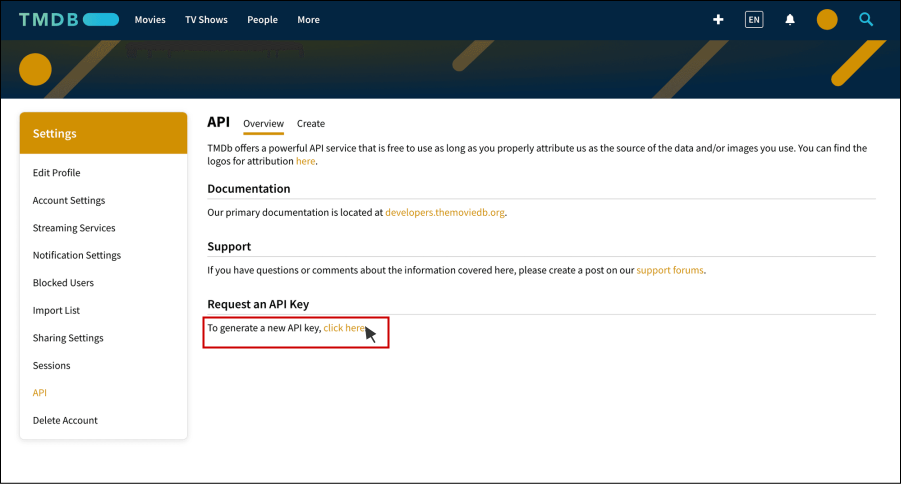
- Click “click here” under the Request an API Key section.
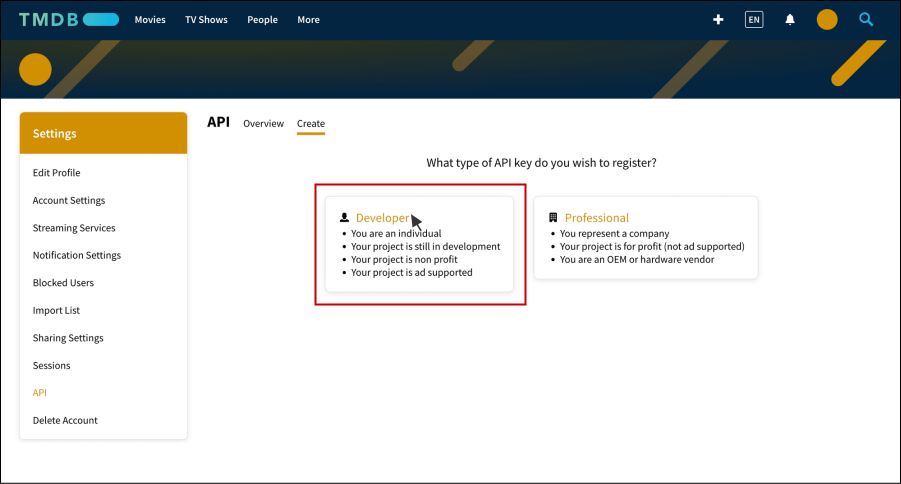
- Select “Developer” as the type of your API.
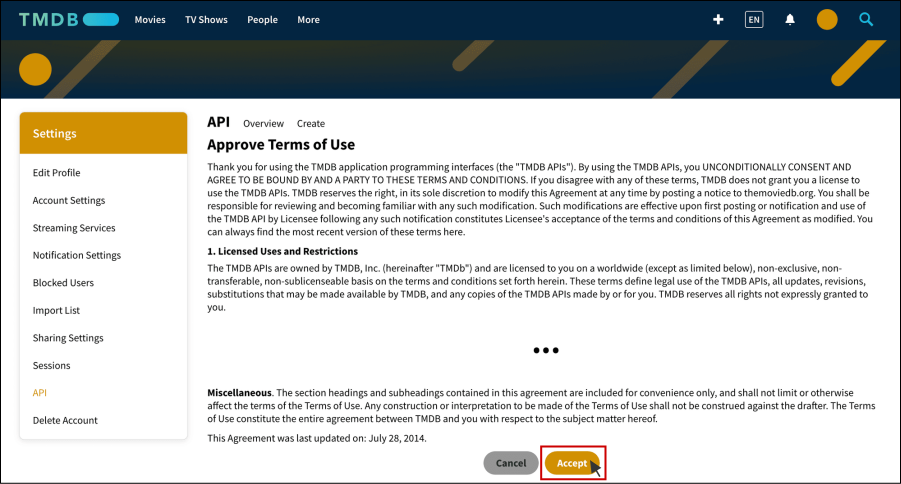
- Click “Accept” to agree with the terms of use of TMDB API.
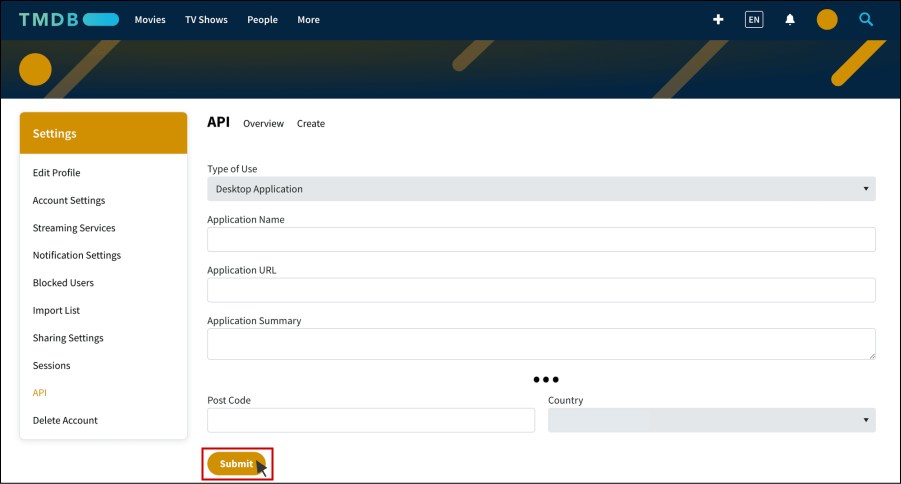
- Fill in the application details and click “Submit”.
Note: The “Application URL” field takes in any random URL as our application URL. For example, “You do not have permission to view the full content of this post. Log in or register now.”.
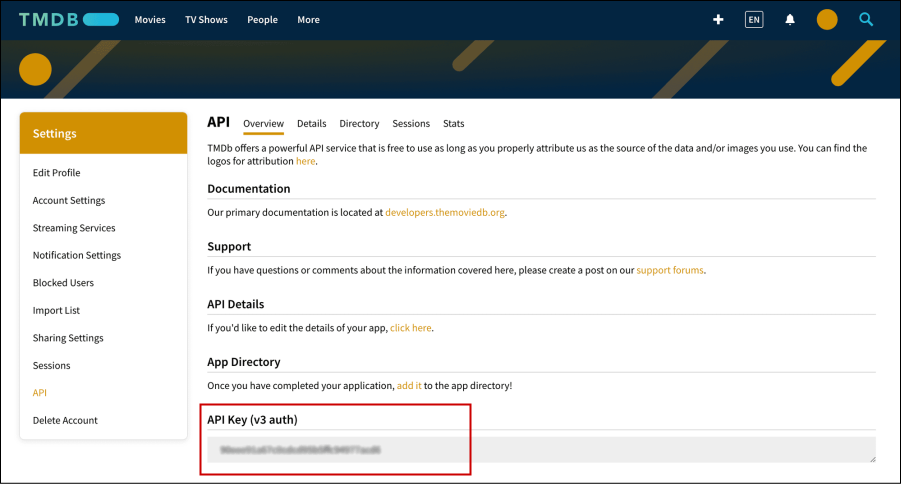
- TMDB API key generated successfully!