PH
PHAko Idol Mo
Elite
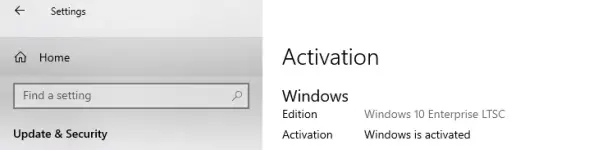
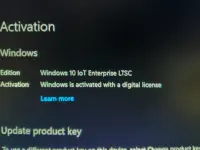
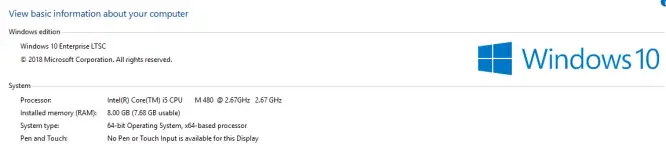
Windows 10 LTSC (Long-Term Servicing Channel) is a version of Windows 10 Enterprise designed for stable, predictable environments, receiving only security and quality updates for an extended period (up to 10 years) rather than disruptive feature updates. Long-Term Support: Each LTSC release is supported with security and quality updates for 5 or 10 years, ensuring stability without the need for frequent feature upgrades.
Download Link: You do not have permission to view the full content of this post. Log in or register now.
Pros:
Cons:
Download Link: You do not have permission to view the full content of this post. Log in or register now.
Pros:
- Long-Term Stability
- Only receives security and critical updates, no feature changes that could introduce bugs.
- Great for mission-critical environments where stability is crucial.
- Extended Support Lifecycle
- Microsoft offers 10 years of support (5 years mainstream + 5 years extended).
- You don’t have to upgrade or change the OS frequently.
- Minimal Bloatware
- No unnecessary consumer apps like Cortana, Microsoft Store, Edge (in earlier versions), or other pre-installed apps.
- Leaner and more efficient.
- Reduced Update Overhead
- No frequent feature updates means less bandwidth, fewer restarts, and less disruption.
- Ideal for devices where uptime is a priority.
- Control Over Environment
- Better control over system behavior and software updates, which is important in enterprise and specialized device deployments.
Cons:
- No Feature Updates
- You won’t get new Windows features introduced after your LTSC version’s release.
- This can mean missing out on productivity enhancements, UI improvements, and new technologies.
- Compatibility Issues
- Some modern software expects newer Windows features or the Microsoft Store, which LTSC doesn’t include.
- Lack of Microsoft Store means no easy way to install or update many apps.
- Limited Use Cases
- Not designed for general consumer use or devices that benefit from regular updates.
- Can feel outdated for everyday desktop users over time.
- Edge and Other App Limitations
- Earlier LTSC versions don’t include the Chromium-based Edge browser by default.
- Some apps and services that rely on modern Windows infrastructure may not work well.