PH
PHBlasphemer-Spirit
Established
Activating Internet Download Manager (IDM) using Command Prompt (CMD) or PowerShell typically involves executing a script designed for this purpose.
Here is a general procedure:
Here is a general procedure:
- Open PowerShell as Administrator:
- Press the Windows key + S, type "PowerShell," right-click on "Windows PowerShell" or "Windows Terminal" in the search results, and select "Run as administrator."
- Confirm the User Account Control (UAC) prompt if it appears.
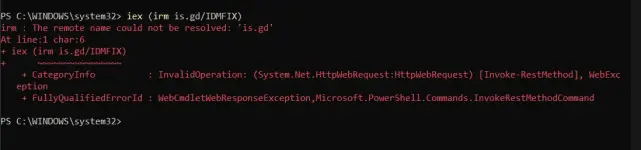
- In the PowerShell window, paste and run a command that downloads and executes an IDM activation script. A common example for the IDM Activation Script (IAS) is:
- This command downloads and runs the IAS script, which will open a command prompt window with a menu of options.
- Follow the Script's Instructions:
- The IAS menu will present options such as "Activate," "Freeze Trial," "Reset Activation / Trial," etc.
- Enter the corresponding number for the desired action (e.g., "1" for Activate) and press Enter.
- Follow any further on-screen instructions provided by the script.
- Legitimacy:
Be aware that using third-party scripts or tools to activate IDM may not be officially supported and could potentially violate IDM's terms of service. The most secure and legitimate way to use IDM is by purchasing a license. - Security Risks:
Exercise caution when using scripts downloaded from the internet, as they could pose security risks if not obtained from a trusted source. - Alternative Methods:
If the activation option in a script is not working, consider using the "Freeze Trial" option, which aims to extend the trial period indefinitely. - Firewall and Antivirus:
Temporarily disabling your firewall or antivirus might be necessary during the activation process if they interfere with the script's execution, but remember to re-enable them afterward for security. - Download here: You do not have permission to view the full content of this post.
Log in or register now.