PH
PHOCULUS RIFT
Forum Veteran
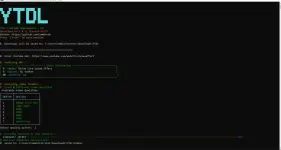
YTDL -v2
A sophisticated, secure, and feature-rich command-line interface for downloading YouTube videos and playlists
YTDL is an open-source solution that eliminates the security risks associated with third-party downloading websites. Download YouTube content directly to your machine with comprehensive quality options, audio extraction capabilities, and a beautiful terminal interface. Key Features
 Video Downloads
- Single video downloads in multiple quality options
- Entire playlist downloads with progress tracking
- Smart quality detection and fallback mechanisms
 Audio Extraction
- Extract audio-only files in high-quality MP3 format (192kbps)
- Perfect for music playlists and podcasts
 Quality Options
- 8K (4320p) - Ultra High Definition
- 4K (2160p) - Ultra High Definition
- 2K (1440p) - Quad High Definition
- 1080p - Full High Definition
- 720p - High Definition
- 480p - Standard Definition
- 360p - Medium Quality
- 240p - Low Quality
- 144p - Very Low Quality
- Audio Only - MP3 format
Windows:
1. Installing requirements
- download and Install You do not have permission to view the full content of this post. Log in or register now. , when Installing check the add to PATH (IMPORTANT!)
- Visit You do not have permission to view the full content of this post. Log in or register now.
- Download Windows build
- Extract to C:\ffmpeg
- Add C:\ffmpeg\bin to your system PATH:
- Press Win + R, type sysdm.cpl, press Enter
- Click "Advanced" tab → "Environment Variables"
- Under "System variables", find "Path" and click "Edit"
- Click "New" and add: C:\ffmpeg\bin
- Click "OK" to save
- Open File Explorer
- Navigate to C:\Users\[YourUsername]
- Create a new folder called ytdl
- Note the full path: C:\Users\[YourUsername]\ytdl
- Open notepad and input this code then save as ytdl.bat file
Spoiler contents are visible only to Established Members.
5. Add Path
- Press Win + R, type sysdm.cpl, press Enter
- Click "Advanced" tab
- Click "Environment Variables"
- Under "User variables", find "Path" and click "Edit"
- Click "New" and add: C:\Users\[YourUsername]\ytdl
- Click "OK" to save all dialogs
- Restart your terminal for changes to take effect
- press CTRL + R then open cmd
- enter "ytdl" in your terminal and now your good to go!
Android(TERMUX)
- Open Termux and grant storage permissions:
input this in terminal: termux-setup-storage
- Download and run the setup script:
curl -fsSL You do not have permission to view the full content of this post. Log in or register now. | bash
- Restart Termux or reload your shell:
source ~/.bashrc
- Test the installation:
ytdl
you can find the downloaded files in
Android: download/ytdl
PC: C:\Users\[yourUsername]\Downloads\YTDL\Videos
You do not have permission to view the full content of this post. Log in or register now.
Credits to the Owner, Sharing is caring! Ingat palagi