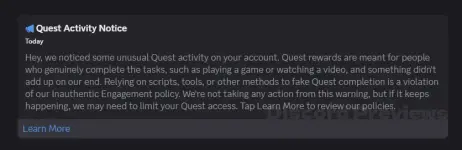
PH
PHComplete Recent D1sc0rd Quest
Note: This does not works in browser for non-video, non-activity quests! For stream/play quests use the desktop app!
Note: When doing stream quests, you need at least 1 other account in the vc!
How to use:
- Accept a quest in Discover > Quests
- Press ctrl + shift + i to open console tab
- Go to Console tab
- Paste the following code and hit enter (if didnt work, type allow pasting to work)
- Follow the printed instructions depending on what type of quest you have
~ If your quest says to "play" the game, you can just wait and do nothing
~ If your quest says to "stream" the game, join a vc with a friend or alt and stream any window - Wait for 15 minutes
- You can now claim the reward in User Settings -> Gift Inventory!
~~~~~~~~~~~~~~~~~~~~~~~~~~~~~~~~~~~~~~~~~~~~~~~~~~~~~~~~~~~~~~~~~~~~~~~~~~~~~~~~~~~~~~~~~~~~~~~~~~~~
FAQ:
Q: Ctrl + Shift + I doesn't workA: Either download the ptb client, or use this to enable DevTools on stable
Q: I get an error saying "Unauthorized"
A: D1sc0rd has patched the script from working in browsers. Use the #forbidden# desktop app.
They have also started checking how many people are in the vc, so make sure you join it on at least 1 other account.
Q: I get a syntax error/unexpected token error
A: Make sure your browser isn't auto-translating this website before copying the script. Turn off any translator extensions and try again.
Q: I get a different error
A: Make sure you're copy/pasting the script correctly and that you've have done all the steps.
Q: Can you make the script auto accept the quest/reward?
A: No. Both of those actions may show a captcha, so automating them is not a good idea. Just do the two clicks yourself.
Q: Can you upload the standalone script to a repo and make this gist's code a one line fetch()?
A: No. Doing that would put you at risk because I (or someone in my account) could change the underlying code to be malicious at any time, then forcepush it away later, and you'd never know.