 PH
PHArissa ofuma
Contributor
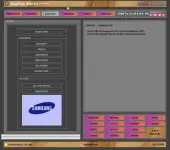
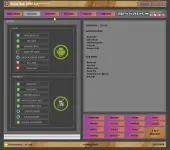
Here You Can Download ArssaTech GSM Tool V3.0 For Free, And I Will Step By Step Guide You On How To Install ArssaTech GSM Tool V3.0 On Your Computer Or Laptop.
ArssaTech GSM Tool V3.0 is a simple and powerful tool for Android devices. It supports modes like BROM, ADB, and Fastboot, offering features like IMEI backup/restore, bootloader unlocking, FRP removal, and device info recovery. Compatible with brands like Vivo, Oppo, Xiaomi, Samsung, and Huawei, it makes repairing and unlocking devices fast and easy.
ArssaTech GSM Tool V3.0 Features
BROM Mode [Unlock Service]
- Remove FRP
- Factory Reset
- Bypass Auth
- Unlock Bootloader
- Reset Password (Keep Data)
- Vivo Remove Demo
- Samsung Remove FRP
- Relock Bootloader
- Oppo Remove Demo
- Redmi 6A Reset Mi Account
BROM Mode [Backup & Restore]
- Backup IMEI
- Restore IMEI
- Huawei Backup OEMINFO
- Huawei Write OEMINFO
- Samsung Backup IMEI
- Samsung Restore IMEI
- Read RPMB
- Read Build.Prop
- Read Boot – vbmeta
- Restore Boot – vbmeta
- Fix Unknown Baseband
- No Connection
Android [ADB Mode]
- Read Device ID
- CPU Info
- Memory Info
- Reset FRP [ADB]
- Unlock Screen (Root)
- Kill ADB
- Clear Log
Android [Fastboot Mode]
- Device ID
- Read Info
- Getvar All Info
- Anti Rollback Info
- Bootloader Info
- Unlock Bootloader
- Relock Bootloader
- Huawei Device Info
Samsung [MTP Mode]
- Read Info
- Reboot
- ADB Enable
- Remove FRP
- Kill Server
- Restart Tool
Samsung [QR Code]
- QR Code Bypass (Enable USB Debugging)
- Remove FRP
Driver Manager
- Mediatek Driver
- Qualcomm-MTK Driver
- USBDK x64 Driver
- LibUSB32 Driver
- Samsung Driver
- ADB-Fastboot Driver
Reboot [ADB Mode]
- Device ID
- Reboot Normal
- Reboot Recovery
- Reboot Bootloader
- Reboot EDL Mode
- Reboot Sideload
- Shutdown Device
- Power Reboot
Reboot [Fastboot Mode]
- Device ID
- Reboot Normal
- Reboot Recovery
- Reboot Fastboot
- Reboot Bootloader
- Reboot to EDL [Need Unlock Bootloader]
- Reboot EDL (Method 2)
- Emergency Reboot
- Reboot Download
 File Password: 2025
IMEI Fix
- Clean ADB
- Write IMEI
- Reset Config
Note: Device must be rooted and USB debugging enabled.
How To Install ArssaTech GSM Tool
Download Tool You do not have permission to view the full content of this post. Log in or register now.Password: 1234
- Download ArssaTech GSM Tool from the provided link.
- Extract the setup file to your desktop using the password: 1234.
- Double-click the setup file and follow the steps to install.
- Find the desktop shortcut, right-click, and choose “Run as administrator.”
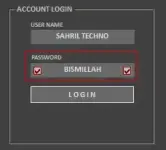
- Enter the login password: BISMILLAH and check “Remember” to save it.
- Connect your device in ADB, Fastboot, or the required mode.
- Access Pro Mode features easily unlock, reset, and perform other tasks.