 PH
PH
Pepakura Designer is a Windows application that generates unfolded patterns from 3D data. The software automatically opens 3D polygon-mesh models and allows the user to edit them. Pepakura Designer allows users to create realistic paper models from digital data.
Program features and functions:
- With the press of a button, the unfolded pattern produces a 3D model.
- Pepakura Designer provides a simple and efficient set of tools for editing layouts. Editing tools such as Move, Rotate, and Join/Disjoin Parts, as well as support for Adding Flaps, help the user to organize the layout.
- Pepakura Designer helps the user in the assembly process. For example, numbers are assigned to edges so that the user can identify pairs of edges that need to be glued together. The location of pairs that need to be glued together is indicated by an arrow.
- Pepakura Designer supports exporting to multiple file formats, including BMP, PNG, GIF, JPG, EPS, DXF, and PDF.
- By turning textures on and off, the user can assemble the colored model or the white model, whichever they prefer. The user can also change the texture images in Pepakura Designer.
Installation Guide:
➽ Install the software.
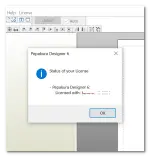
➽ Activate the software using the serial number in the key.txt file.
✪ L I N K:
Download