PH
PHArissa ofuma
Contributor
Microsoft Windows 11 Home
Download the desired version with the following download link.| LANGUAGE | 64 BITS |
| DEUTSCH | You do not have permission to view the full content of this post. Log in or register now. |
| ENGLISH | You do not have permission to view the full content of this post. Log in or register now. |
| FRANÇAIS | You do not have permission to view the full content of this post. Log in or register now. |
| ITALIANO | You do not have permission to view the full content of this post. Log in or register now. |
| ESPAÑOL | You do not have permission to view the full content of this post. Log in or register now. |
| NEDERLANDS | You do not have permission to view the full content of this post. Log in or register now. |
| SVERIGE | You do not have permission to view the full content of this post. Log in or register now.You do not have permission to view the full content of this post. Log in or register now. |
Read this carefully
Below are the minimum system requirements needed to install Microsoft Windows 11 on a PC. If your device does not meet these criteria, installation may not be possible. You can use the PC Health Check application to determine whether your device is compatible with Microsoft Windows 11.
| Processor | 1 gigahertz (GHz) or faster with 2 or more cores on a compatible 64-bit processor or System on a Chip (SoC). |
| RAM | 4 gigabytes (GB). |
| Storage | 64 GB or larger storage device Note: See below under “More information on storage space to keep Microsoft Windows 11 up-to-date” for more details. |
| System firmware | UEFI, Secure Boot capable. |
| TPM | Trusted Platform Module (TPM) version 2.0. You do not have permission to view the full content of this post. Log in or register now. for instructions on how your PC might be enabled to meet this requirement. |
| Graphics card | Compatible with DirectX 12 or later with WDDM 2.0 driver. |
| Display | High definition (720p) display that is greater than 9” diagonally, 8 bits per color channel. |
| Internet connection and Microsoft account | Microsoft Windows 11 Home edition requires internet connectivity and a You do not have permission to view the full content of this post. Log in or register now.. Switching a device out of Microsoft Windows 11 Home in S mode also requires internet connectivity. You do not have permission to view the full content of this post. Log in or register now.. For all Microsoft Windows 11 editions, internet access is required to perform updates and to download and take advantage of some features. A Microsoft account is required for some features. |
NEW INSTALLATION:
After downloading, either burn the ISO file to a DVD or save it to a USB drive. Boot your PC or laptop using the DVD or USB, and the installation process will begin. Follow the on-screen instructions to complete the installation.
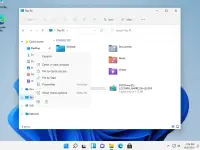
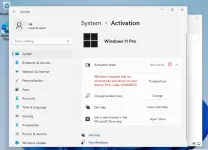
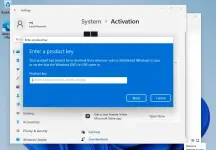
Once the Operating System is installed, right-click on My Computer, select Properties, then click on Activate Microsoft Windows. Enter the provided key to complete the activation.