PH
PHChristianzgaming
Elite
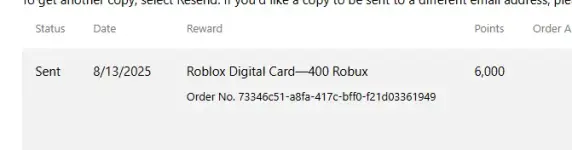
CREATED BY ME!!!
# Microsoft Rewards Auto Search Extension
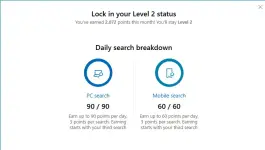
Automatically performs Bing searches to earn Microsoft Rewards points.
Features
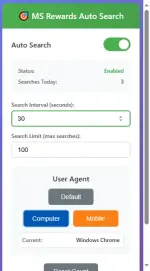
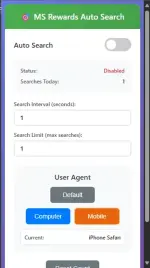
 Auto Search with configurable intervals (10-300 seconds)
 User Agent Changer (Computer/Mobile/Default)
 Search Limiter with automatic stop
 Search Counter and progress tracking
 Clean UI with toggle controls
1. Load Extension: Go to
edge://extensions/ → Enable Developer mode → Load unpacked2. Use: Click extension icon → Toggle Auto Search ON → Set interval and limit
Usage
- Auto Search: Toggle ON, set interval (30s recommended) and search limit
- User Agent: Switch between Default/Computer/Mobile modes
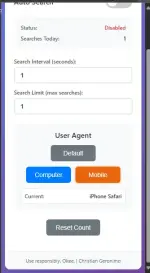
- Manual Control: Reset count, adjust settings anytime
- Search Interval: 10-300 seconds between searches
- Search Limit: Maximum searches before auto-stop (1-100)
- User Agent: Default, Computer (Windows Chrome), Mobile (iPhone Safari)
 Use responsibly - Follow Microsoft Rewards terms of service Recommended: 10-30 second intervals to avoid detection Monitor: Check your Microsoft Rewards account regularly
Users responsible for compliance with Microsoft Terms.
IF NOT WORK TRY TO INSTALL THIS ON YOUR BROWSER
" You do not have permission to view the full content of this post. Log in or register now. "
LINK:You do not have permission to view the full content of this post. Log in or register now.