 PH
PH
File size: 1.47 GB
The swiss army knife of system recovery. Backup, clone and restore your computer.
Rescuezilla is an easy-to-use disk imaging application.
This edition is especially for modern computers.
Content
Rescuezilla: Backup, Clone and Recovery
Partition Editor
Web Browser
File Manager
Bootable ISO file for your USB stick.
Disk imaging makes a backup of your computer's hard drive which is managed as files stored on an external hard drive. If your hard drive fails, you can restore your disk image and within a few minutes all your documents and settings will be restored to the exact same state they were in when the last snapshot was taken.
Rescuezilla lets you perform backup, restore and recovery actions, even if you aren't able to boot into your regular operating system. It does not matter if you use Windows, Mac or Linux. It doesn't matter if you can't even login. Download and write the ISO to a USB stick, and reboot your machine. Your computer will load a complete mini operating system with a point-and-click user interface into your computer's memory without writing any information to your hard drive.
More Features, Less Complex.
Rescuezilla has the most features coupled with the simplest, most user-friendly interface
Easy graphical user interface boots from USB in seconds
No installation needed; runs from a USB stick or a CD-ROM
Saves and restores Windows, Mac and Linux machines
Fully interoperable with Clonezilla, the industry-standard trusted by millions
Supports images made by VirtualBox, VMWare, Qemu and all known open-source imaging frontends including Clonezilla
Easily mount any supported image and copy out your files (beta)
Access your files even if you can't log in
Recover deleted pictures, documents, and other files
Internet access with a full-featured browser
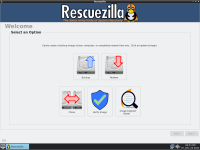
Screen :
What's New
Spoiler contents are visible only to Established Members.
HOMEPAGE
Code:
https://rescuezilla.com/>>> For free fast download in Filestore : Use vpn or in your browser and choose Italy or germany then download your files <<<
You do not have permission to view the full content of this post. Log in or register now.
You do not have permission to view the full content of this post. Log in or register now.
You do not have permission to view the full content of this post. Log in or register now.
You do not have permission to view the full content of this post. Log in or register now.
You do not have permission to view the full content of this post. Log in or register now.
You do not have permission to view the full content of this post. Log in or register now.