 PH
PHrainych_ran
Contributor
 Shortcut Map
Pick a tool ➜ Copy video link ➜ Paste it ➜ Download it
(If nothing works, hit record and move on with life.)
 Real Tools That Actually Work (As of July 2025)
| JDownloader 2 | Paste a video link, it downloads the file | You do not have permission to view the full content of this post. Log in or register now. |
| yt-dlp (EXE) | Smart tool for many sites, works via simple commands | You do not have permission to view the full content of this post. Log in or register now. |
| yt-dlp Interface (GUI) | Easier version of yt-dlp with buttons instead of commands | You do not have permission to view the full content of this post. Log in or register now. |
| M3U8 Vacuum | Downloads video streams in tiny pieces and joins them | You do not have permission to view the full content of this post. Log in or register now. |
| Streamlink | Streams live video into VLC player | You do not have permission to view the full content of this post. Log in or register now. |
| OBS Studio | Records your screen while video plays | You do not have permission to view the full content of this post. Log in or register now. |
| Stream Recorder (Chrome) | Chrome extension that downloads videos if they’re not locked | You do not have permission to view the full content of this post. Log in or register now. |
| Video DownloadHelper (Firefox) | Browser tool for grabbing videos from many websites | You do not have permission to view the full content of this post. Log in or register now. |
| NewPipe (Android) | Download videos directly to your phone | You do not have permission to view the full content of this post. Log in or register now. |
| QuickTime (Mac) | Mac’s built-in tool for screen recording | You do not have permission to view the full content of this post. Log in or register now. |
 Super Simple Steps for Humans
 Use a Browser Extension
- Install Stream Recorder (Chrome) or DownloadHelper (Firefox)
- Play the video
- Wait for icon to light up
- Click it → download → boom
 Use JDownloader
- Install it
- Copy any video link
- It auto-detects and shows options
- Click “Start” and it does the magic
 Use yt-dlp (with a nice GUI)
- Unzip the folder, open yt-dlp interface.exe
- Paste your video link
- Hit “Download”
- If login is needed, click “Import Cookies”
 Use M3U8 Vacuum (if other tools cry)
- Right-click video → Inspect → Network → Filter .m3u8
- Copy that long link
- Drag it into N_m3u8DL-RE.exe
- Wait while it stitches the video together
 No Laptop? No Problem
Android:
- Download NewPipe
- Paste or share the video link
- Tap Download — done
iPhone:
- Open Control Center
- Tap ⦿ screen record
- Play the video fullscreen
Smart Tips (Secret Club Level)Skip cookie headache:
yt-dlp --cookies-from-browser chrome <link>If .m3u8 contains a key:
Add --key <KID>:<KEY> in M3U8 VacuumLive stream?
Use streamlink <url> best and watch it live in VLC
 Don’t Fall for These Dumb Moves
- Changing .exo to .mp4 = broken video + broken dreams
- Downloading “Netflix 4K Downloader FREE.exe” = virus buffet
- Believing “Download Anything” extensions = they lie, they all lie
 Reality Check
If the page says DRM, Widevine, or FairPlay:

Just screen-record it. That’s your only hope.If you get 360p video only:
Try importing cookies or using another methodIf nothing works after 2 hours:
That’s the universe telling you to go outside (or use OBS)
 Final Thought (You’ll Do This Anyway)
You’ll try the nice tools
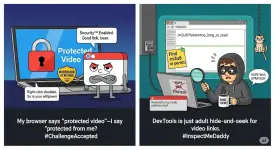
Then dig into Dev Tools
Then scream
Then use OBS
Then eat snacks while the video records in real-time
And honestly? That’s the correct workflow.
(rainych ♡
 )
)