PH
PH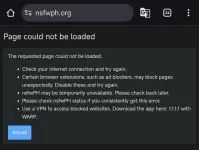
Dami nagtataka kung bakit di daw working, yung iba dead na daw

Eto pinaka simpleng working solution diyan:
How to configure DNS for Mobile (Android 10-15)
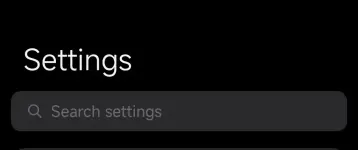
Go to your mobile device Settings

1. Search for "DNS" or "Private DNS"
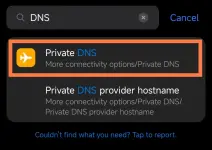
2. Select Private DNS provider hostname
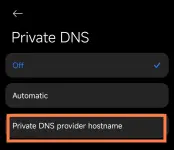
3. Input mo "dns.google"
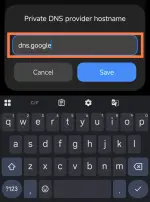
4. Tap "Save"
Then balik kana sa Browser mo, try mo kung gagana.

Magv-vary sa device kung may search feature sa settings, pwede niyo naman gawin manual.
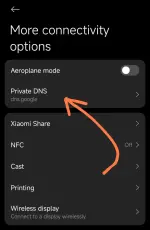
Ganito sa Xiaomi:
1. Settings
2. More connectivity options
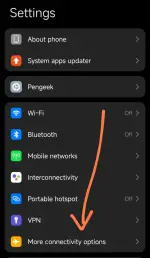
3. Private DNS
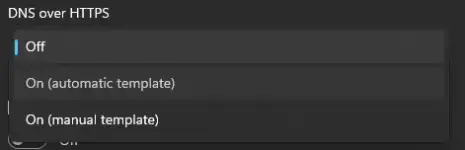
Eto naman kung sa Windows kayo nagl-lu2
1. Go to settings or CTRL+I (shortcut)
2. Look for "Network & Internet"

2. Navigate to "Wi-Fi" kung ginagamit niyo wifi, "Ethernet" kung nakakabit sa Desktop/Laptop

or

3. then "Hardware Properties"

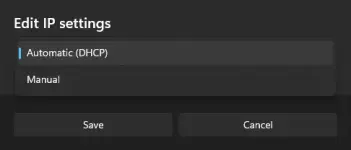
4. Click niyo yung wireless "wireless properties" (kung saang wifi kayo naka connect) then makikita niyo to-click Edit:

5. Select "Manual"
6. Toggle on "IPv4"

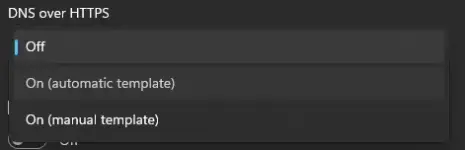
7. Gayahin niyo lang to
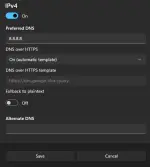
Click save. Owrayt