 PH
PH
A Windows 10 LTSC 2021 ISO modification bringing back the look and feel of Windows 7.
Modification features
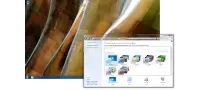
Gadgets and themes
Our modification restores classic gadgets and themes from Windows 7.
If you want to run Reunion7 on your PC, here's what it takes (Recommended):
- CPU - 2.5 gigahertz (GHz) or a faster 64-bit processor
- RAM - 8 GiB (8192MiB) of RAM
- DISK - 40-60 GB of available disk space
- GPU - DirectX 9 or later-capable graphics device with WDDM 1.0 or higher driver
Minimum specifiations:
- CPU - 1 gigahertz (GHz) or a faster 64-bit processor
- RAM - 4 GiB (4096MiB) of RAM
- DISK - 20 GiB of available disk space
- GPU - DirectX 9 graphics device with WDDM 1.0 driver
Additional requirements to use certain features:
- Internet access (fees may apply)
- Depending on resolution, video playback may require additional memory and advanced graphics hardware
- Some games and programs might require a graphics card compatible with DirectX 11-12 for optimal performance
- For some Windows Media Center functionality a TV tuner and additional hardware may be required
- Windows Touch and Tablet PCs require specific hardware
- HomeGroup requires a network and PCs running Reloaded7
- DVD/CD authoring requires a compatible optical drive
- BitLocker requires Trusted Platform Module (TPM) 1.2
- BitLocker To Go requires a USB flash drive
- Windows XP Mode requires an additional 1 GB of RAM, an additional 15 GB of available hard disk space, and a processor capable of hardware virtualization with Intel VT or AMD-V turned on
- Audio and sound require audio output
Download
You do not have permission to view the full content of this post. Log in or register now.
You do not have permission to view the full content of this post. Log in or register now.
Credits to: Reunion TeamFrequently Asked Questions
- Q: "What even is Reunion7?"
- A: Reunion7 is a Windows 10to7 mod that is a successor to both Classic 7 and Reloaded7, aiming for the most accurate Windows 7 experience on Windows 10. The look of Windows 7 is in your hands, but with the latest kernel of Windows 10 IoT LTSC. Since it's based on W10 LTSC, there's no bloat or telemetry and it gets official security patches from Microsoft until 2032.
- Q: "Is this safe?"
- A: Yes, this is safe. There is no malware found or used in Reunion7. However, antiviruses will false-flag modded system files of Reunion7; this's simply due to the fact that antiviruses see modified system files as being infected or hijacked. As such, the Windows Security features have been removed to preserve the functionality of this mod. As of 1.0, the Windows Security features are disabled now.
- Q: "I'm experiencing slow-downs and lag upon first installing this mod!"
- A: "Installing or updating your drivers fixes this issue."
- Q: "I can't connect to my Wi-Fi network!"
- A: This's actually a limitation of vanilla Windows 7; also, some new Internet Service Provider configurations make it hidden for both W7 and Reunion7. The only workaround is that you go to Control Panel, then Network and Sharing Center, then Set up a new connection. From there, select Manually connect to wireless network. Enter your network name and password, press Enter. It should be connected. You could also use Windows 10 Settings.
- Q: "How do I access the Windows 10 Settings?"
- A: Use the keyboard shortcut Win + I. It's very important to be able to access the Windows 10 settings as they're some features and settings that are impossible to replicate in the format of Control Panel at the moment.
- Q: "Can I use system languages other than English here?"
- A: While it's heavily discouraged, you can technically download and use other language packs via the Windows 10 Settings. Be warned that this may cause a good handful of issues to arise, like inconsistencies within the Windows 10 text and the hardcoded English Windows 7 text. This feature is planned to be supported in Reunion7 v1.0.
- Q: "Can I get Windows 10 updates? What about Reunion7 updates?"
- A: In case of any vulnerabilities, you can get official security/hotfix patches from Microsoft. However, updating to cumulative updates will end up breaking most of the Windows 7 theme. There's no update feature bundled with Reunion7 v0.9, however it's planned to be able to use updates with Reunion7 V1.0.
- Q: "I see that there are the different theme styles in the Personalization page, are there any downsides?"
- A: When switching between Aero, Basic, Classic or High Contrast themes, explorer.exe will be restarted, so make sure you're NOT transferring any files! This obviously does not happen when switching between mutual Aero themes.
- Q: "Why is the WindHawk UI removed?"
- A: This done to cut the size of this mod. The WindHawk UI is sized about 600MiB. If you want, you could reinstall WindHawk to get the UI back.
- Q: "Is Reunion7 stable enough to be used as a daily-driver on a real machine? Are there any things I should be aware of?"
- A: Yes, it's stable enough. Keep in mind that just like antiviruses, some anti-cheats do not like the modifications applied to this mod. There are workarounds, like excluding the process name from WindHawk.
 thank you for this link